
Amazon caps each listing image at 10MB — that’s the upload ceiling per image, and the current guidance from Seller Central’s image documentation is consistent across the working guides I trust. But here’s the part most sellers get backwards: 10MB is not a target, and a bigger file does not mean a better-looking listing. In practice, a sharp 2000px JPEG that passes Amazon’s checks is usually 1–2MB, and files sitting anywhere near the ceiling are a warning sign, not an achievement. For the full spec checklist (dimensions, formats, main-image rules), see my 2026 listing image requirements guide — I won’t re-teach it here.
Think of file size as having two dials, not one. The first dial is pixel dimensions: more pixels = more data, and the weight grows faster than you’d expect because doubling each side quadruples the pixel count. The second dial is compression: JPEG’s quality setting throws away fine detail to shrink the file, and how much detail you can afford to throw away depends on the image. A soft lifestyle photo survives heavy compression gracefully; a crisp infographic with small text does not — which is exactly why I covered format choices separately in my image file types post.
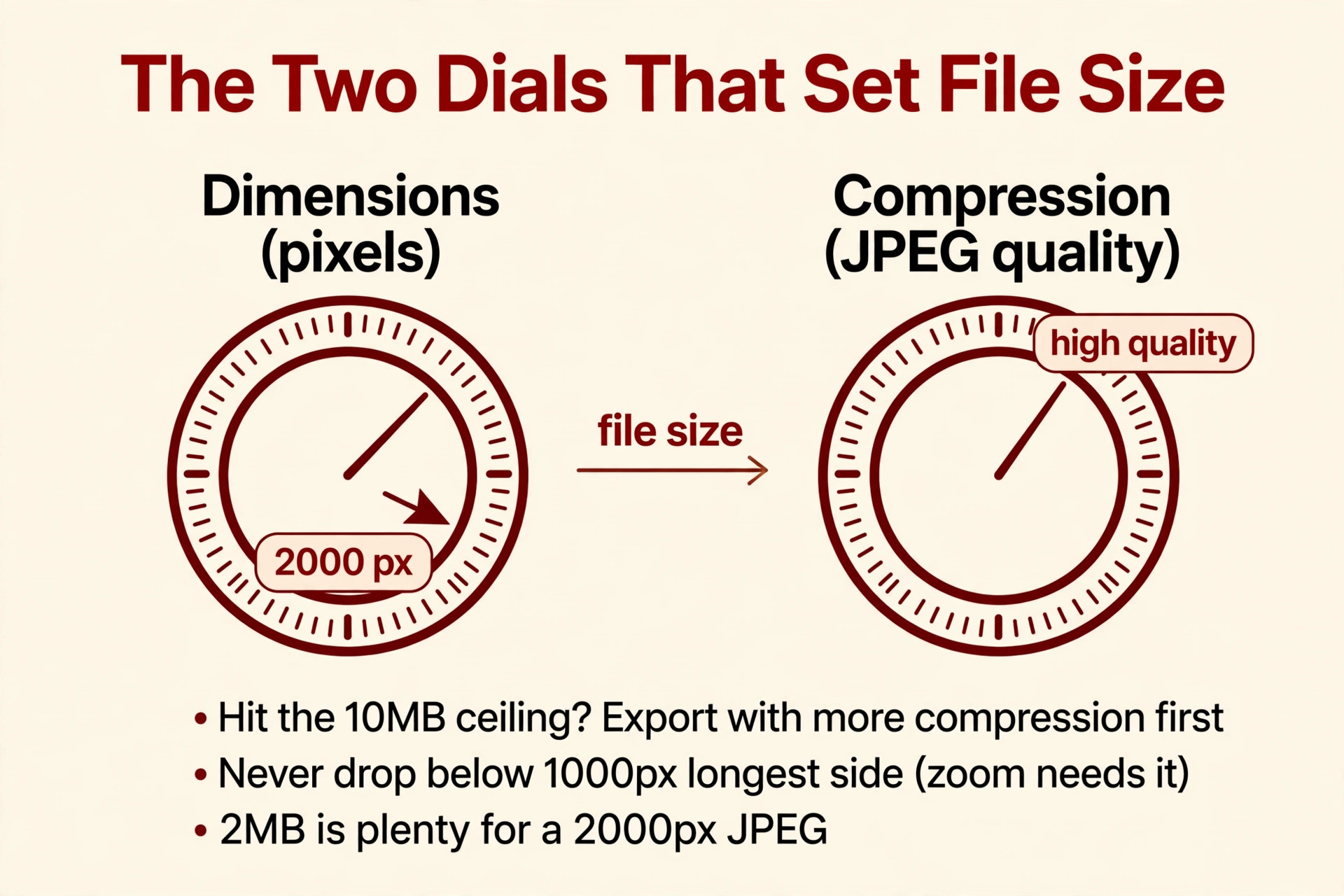
When a seller blows past the ceiling, it’s almost always the compression dial they forgot, not the dimensions dial. This is the most common mistake I see in DIY uploads: someone exports a 2500px image at “100% quality” or “maximum” and the file lands at 8–12MB. The instinct is to shrink the pixels — drop to 1200px, lose zoom, degrade everything. The right move is the reverse: keep your pixels (zoom needs that 1,000px-longest-side minimum), and bring the compression dial down to sane territory. A 2000px JPEG at a high-but-not-maximum quality setting is a fraction of the weight of the “100%” export, and the two look identical at any size Amazon actually displays.
What actually breaks when you hit the ceiling. Three failure modes, in order of how often I see them:
- Hard upload rejection. The file simply won’t go through — Seller Central or your flat-file feed refuses it. If an image “mysteriously” fails to upload, check file size before anything else.
- Slow, flaky uploads that stall or time out. Sellers with rural or congested connections feel this most: a 9MB upload is far more likely to die mid-transfer than a 2MB one, and a half-uploaded image can sit in a broken state while you troubleshoot the wrong thing.
- Uploading a master file by mistake. A layered TIFF or a print-resolution PSD export blows past 10MB without trying. Your master files are for your hard drive; your uploads are export products. Keep them as separate steps in your workflow — archive the master, export the listing version.
The target I actually aim for. For a standard photo-based listing image at 2000px on the longest side: a high-quality JPEG in the sRGB color space, typically landing between 500KB and 2MB depending on image content. Busy, detailed scenes weigh more; clean white-background shots weigh less. That range clears the 10MB ceiling with enormous headroom, uploads fast, and looks no different on the listing than the 9MB original once Amazon renders it for display.
One hard boundary to respect: if your PNG infographic with fine text is brushing the ceiling, don’t “fix” it by converting to a crushed JPEG that blurs your text at zoom. That’s the one case where protecting quality legitimately pushes file size up, and I’d rather see a 6MB PNG with legible text than a 900KB JPEG with mushy letterforms. Compression is a tool, not a religion.
The export checklist I run on every image
- Longest side: at least 1,000px (zoom minimum), ideally 2,000px — never shrink pixels to fix file weight
- Format: high-quality JPEG for photos; PNG for text-heavy graphics (see my format post for the decision rules)
- Color space: sRGB — CMYK exports either get rejected or come back with shifted colors
- File weight: comfortably under 10MB — if you’re near it, increase compression before touching dimensions
- Sanity check: zoom the exported file to 100% and look for blockiness or banding before uploading
Mini-FAQ
Is a bigger image file better for my listing?
No — not past a point. Once your image is 1,000px+ on the longest side (enabling zoom) and cleanly compressed, extra megabytes buy you nothing visible. Amazon renders every image through its own display pipeline, so the 9MB original and the well-exported 1.5MB version look the same to the shopper.
My TIFF master is over 10MB. Should I just upload it anyway?
Don’t — it will likely fail upload, and even if it went through, Amazon’s display rendering wouldn’t show the shopper anything extra over a properly exported JPEG. Archive TIFFs as masters; export JPEGs or PNGs for the listing.
Does Amazon compress my images after upload?
Amazon renders all images through its own display pipeline — which is why starting from a clean, high-quality export matters. Upload something already degraded by over-compression and the listing shows that degradation. Check Seller Central’s current guidance if you want the exact pipeline behavior.
Exporting compliant images shouldn’t eat your afternoons. I handle the technical side — compliant dimensions, correct formats, clean compression — in every listing set I build. Get in touch and I’ll tell you honestly whether your current images need it.

Azam Khan Tarakai
Founder, Lystiq Creative — Amazon Listing Image & A+ Content Designer
I design Amazon listing images, A+ Content, Brand Stories and Storefronts that turn browsers into buyers — built on my C.A.S.H. Creative Framework™.