
I rebuild Amazon listing images for a living, and I can tell you the single most expensive mistake sellers make: treating every image slot like it has the same job. It doesn’t. The main image is a compliance gate with hard rules. The gallery images are your sales pitch with almost no rules. Mix those two up — put selling graphics on the main image, or leave the gallery as six angles of the same white-background shot — and you’re either suppressed or invisible.
This is my 2026 checklist for getting both halves right. Every spec below comes from Amazon’s own current guidance (Seller Central’s Product Image Requirements and the 2026 photography-standards posts) — where Amazon’s guidance has a gray area, I’ll flag it instead of pretending it’s settled.
The technical baseline: every image on the listing
Every listing needs at least one image; Amazon recommends at least six images and one video. That’s the floor. Now the specs that apply to all of them.
| Requirement | Amazon’s rule |
|---|---|
| Longest side | 500–10,000 px |
| Zoom threshold | 1,000 px minimum on the longest side enables zoom |
| Formats | JPEG preferred; TIFF, PNG, and non-animated GIF also accepted |
| Quality | Clear, no pixelation or jagged edges |
| Non-compliance | Images can be rejected or removed; the listing can be suppressed from search |
The honest caveat on sizes: Amazon’s 2026 photography post calls 1,600+ px optimal, and many working guides — including mine — deliver at 2,000 px for zoom headroom. What you should never do is print “2,000 px required by Amazon.” It isn’t. The requirement is 1,000 px for zoom; everything above that is headroom for quality.
And the consequence is real, not theoretical. Non-compliant images can be rejected, removed, or get the listing suppressed from search — present that as a risk, not a guaranteed outcome. But I’ve seen the risk materialize: a main image with a faint drop-shadow background reads “white” to the eye and fails the pixel check. The automated checks run before a human ever sees your listing.
The main image: strict rules, one job
The main image is the one Amazon treats as a compliance check, not a creative asset. It’s your search-result thumbnail, your ad thumbnail, and your listing’s first impression — and every one of these rules applies to it:
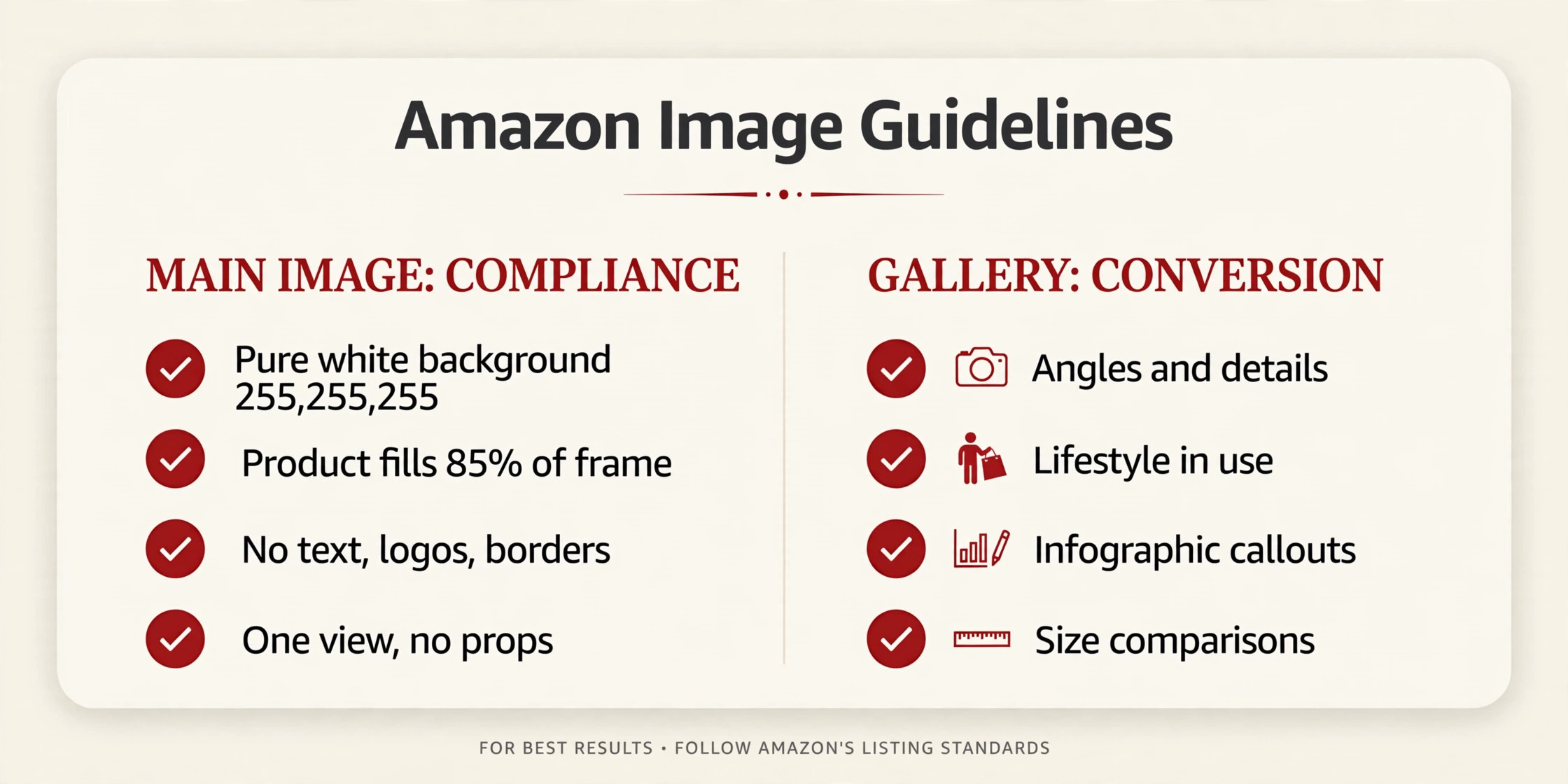
- Pure white background — RGB 255, 255, 255. Not off-white, not light gray. The automated check reads pixel values.
- Product fills at least 85% of the frame, whole product in frame, nothing cropped off.
- No text, logos, borders, color blocks, watermarks, or graphics on or around it.
- Only the product for sale, once, in one view — no front-plus-back composites, no props or accessories that aren’t included, no packaging unless the packaging is a feature of the product.
- Realistic, professional-quality, accurately representative — not a placeholder, not a drawing.
The fill rule, precisely: Amazon’s 2026 post gives an 85–100% range; older guidance says “at least 85%.” I print “at least 85%” because it’s consistent with both. Don’t game the margins either way — a product filling 60% of the frame floating in white space fails, and a product so zoomed it’s cropped fails differently.
Here’s how I think about the main image: it’s not where you sell. It’s where you get clicked. Clarity beats cleverness here — the cleanest, most legible version of your product on pure white, filling the frame. Every selling job you want to do goes into the gallery, where it’s allowed.
The gallery: where the selling happens
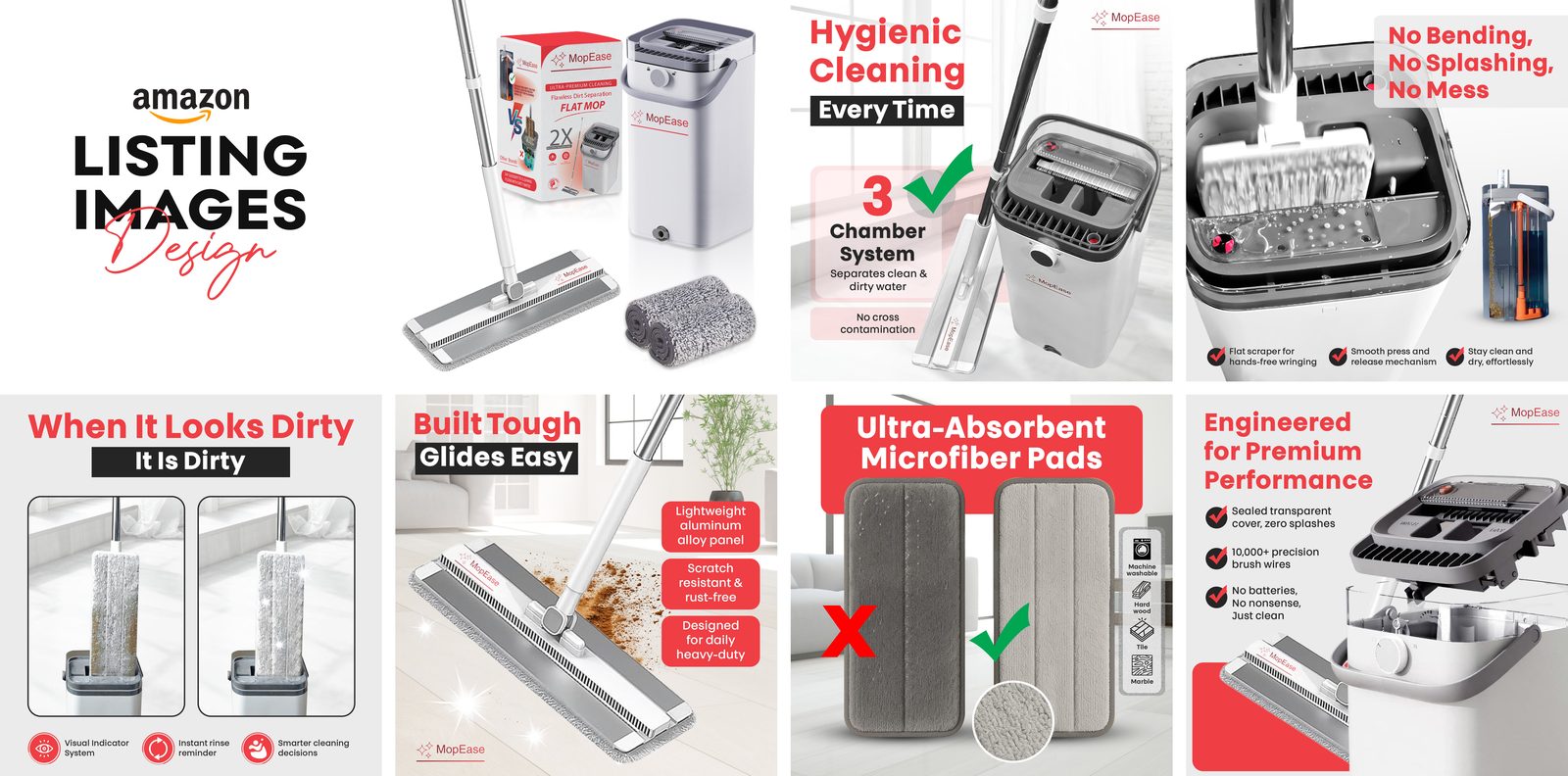
Secondary images are where the rules relax and the conversion work starts. Other backgrounds are allowed. Cropped and close-up shots are allowed. Text and demonstrative graphics are allowed. Other objects are allowed to show scale or use. This is the second half of the checklist graphic, and it’s the half most sellers underuse.
The gallery slots each have a job. Here’s the structure I build for most products:
- Main image — pure white, compliant, the click-magnet.
- Alternate angle — a second view that shows features the main shot hides. Still typically on white.
- Lifestyle / in-use — the product in genuine use, in context. This is where the buyer pictures it in her life.
- Detail close-up — the texture, the mechanism, the material, the stitching. Whatever decides the purchase at arm’s length.
- Infographic callout — key features, dimensions, and differentiators as designed graphics. (my infographic guide)
- Size / scale reference — the product next to a familiar object, or with measurements drawn on the image. The single most return-preventing image you can make.
- How-to / what’s-in-the-box — instructions, contents, the unboxing promise. Answers the last objection before the buy box.
Fill every slot you can. There’s no scenario where an empty gallery slot beats a good image. But — and this matters — every slot must earn its place with a distinct job. Seven angles of the same white-background shot is how you tell a buyer you had nothing more to say.
The category exceptions (and the honest way to handle them)
Some categories add rules on top of the universal ones — footwear has its own angle requirements, apparel has mannequin rules, jewelry and watches have their own standards. I mention these only so you’ll check: Seller Central’s category-specific guidance is the authority at upload time, and it moves. Don’t treat the universal rules above as the complete list for a regulated category.
The most common rejection reasons I see
Off-white backgrounds on the main image. The #1 killer. A background that looks white to the eye but reads 240–250 in pixel values fails the automated check. If you’re DIY-ing, sample the actual pixels before uploading.
Text, badges, or watermarks on the main image. “Bestseller,” a star burst, your logo in the corner — all automatic flags. Save every graphic for the gallery.
Under-1,000-px uploads. Below the zoom minimum, the upload can be rejected outright — and even if accepted, no zoom means a worse shopping experience on mobile.
Props and accessories confusion. If the main image shows items that aren’t included in the offer, that’s a review trigger. One product, one view, nothing extra.
Pixelation and compression artifacts. Upload at full quality. Amazon compresses on display; starting compressed means starting degraded.
Where A+ fits (it’s a different system)
Listing images and A+ Content are not the same system. Product images sit at the top of the listing in the carousel — they drive clicks and answer fast-buying questions. A+ modules sit lower on the page — they do brand storytelling, comparison charts, and long-form education. The specs are different too: my A+ image sizes guide covers that system separately. The best listings use both together — the carousel closes the first scroll, A+ closes the page.
The 2026 checklist, condensed
Print this, tape it to your monitor, run every image through it before upload:
- Size: longest side 500–10,000 px; 1,000+ px for zoom; I deliver at 2,000 px for headroom (not an Amazon requirement).
- Format: JPEG preferred; PNG/TIFF/non-animated GIF accepted.
- Main image background: pure white, RGB 255, 255, 255 — sampled, not eyeballed.
- Main image fill: product fills at least 85% of frame, whole product visible.
- Main image purity: no text, logos, borders, watermarks, badges, inset images, or props.
- Main image honesty: one product, one view, no included-accessory confusion, realistic and representative.
- Gallery: at least six images total plus video recommended; every slot has a distinct job — angle, lifestyle, detail, infographic, scale, how-to.
- Gallery rules relaxed: backgrounds, close-ups, text graphics, and scale props are all allowed after slot one.
- Category check: confirm any category-specific rules in Seller Central before uploading.
- Mobile check: view the full stack on a phone — most of your traffic is there.
Frequently asked questions
How many images should my Amazon listing have?
Amazon requires at least one and recommends at least six images plus one video. In practice, fill every slot you’re given with images that each do a distinct job.
Can I use AI-generated images for my Amazon listing?
AI imagery is a live and moving topic on Amazon in 2026 — note that Amazon introduced synthetic-performer tagging requirements for photorealistic AI-generated people in A+ this year. For listing images, keep one rule: the images must accurately represent the actual product. Check Seller Central’s current requirements before uploading anything AI-generated.
Do listing images affect my Amazon ranking?
Indirectly, yes — the same conversion → velocity → rank chain as A+ Content. Images that raise click-through and conversion feed the metrics Amazon’s ranking actually responds to. They aren’t a direct ranking factor, and no honest designer will tell you otherwise.
What’s the ideal image size for Amazon?
1,000 px on the longest side is the zoom minimum; Amazon calls 1,600+ px optimal in its 2026 guidance; I deliver at 2,000 px for zoom headroom. Square images are strongly recommended — non-square crops get awkward padding in search results.
What I’d build for your listing
This checklist is the compliance half. The conversion half — gallery images designed to actually sell — is the work I do every week: lifestyle context, detail close-ups, scale references, and infographic callouts in my cream-and-dark-red house style. See my services or get in touch and I’ll tell you honestly which slots your listing is wasting.