
Key Takeaways
- ✓ Amazon’s own answer: one image is required, and Amazon recommends at least six images plus one video — more slots only help if each image does a different job.
- ✓ Guides disagree on the total slot count and Amazon doesn’t settle it in one number, so I front-load the first six and check my own category’s upload flow in Seller Central.
- ✓ My slot order: compliant main image, in-use context shot, differentiator infographic, dimensions/fit panel, what’s-in-the-box or comparison, detail close-up, then video.
- ✓ The dimensions panel is the return-preventer — “will it fit” is the most common wrong-purchase question, and burying it at the end of the gallery wastes its value.
- ✓ Audit your gallery quarterly on your phone: count jobs, not images — if two images answer the same question, one slot is wasted, and the missing job is your next design brief.
“How many images does my product need?” is one of the questions I hear most — and it has a clean answer straight from Amazon, plus a messier one from the ecosystem around it. Let me give you both, precisely.
Amazon’s own answer: every product must have at least one image, and Amazon recommends at least six images and one video. That comes from Amazon staff in Seller Central’s Listings Lounge on product image requirements — it’s a recommendation, not a rule. Only one image is required. Six-plus-video is what Amazon suggests for a listing that actually sells.
So the short version: use every slot your category gives you, and give each image a different job. The rest of this article is the job-by-job structure I build for clients — because the sellers who underperform here don’t usually have too few images. They have six images doing one job.
The honest caveat: nobody agrees on the total slot count
You’ll see secondary guides quote different numbers — “up to 9 images,” “7 visual assets (6 images + 1 video),” “only the first 7 display, or 6 with a video.” They conflict, and Amazon’s own guidance doesn’t settle it in one canonical number, because slot behavior varies by category and by how the upload flow and gallery display evolve.
So here’s my working rule, stated as practice, not policy: front-load your first six. Gallery display truncates — not every image gets equal attention, and on mobile most buyers won’t swipe past the first several. The images that answer the most shopper questions go first. And the authoritative check for your category is always your own Seller Central upload flow at the time you list — that’s the number that governs your listing, not any guide.
The slot-by-slot structure: one image, one job
This is the useful half of the article. Here is the job I assign to each slot, in display order, for a typical product. Not every product needs every slot in exactly this order — but every slot that exists should have exactly one of these jobs.
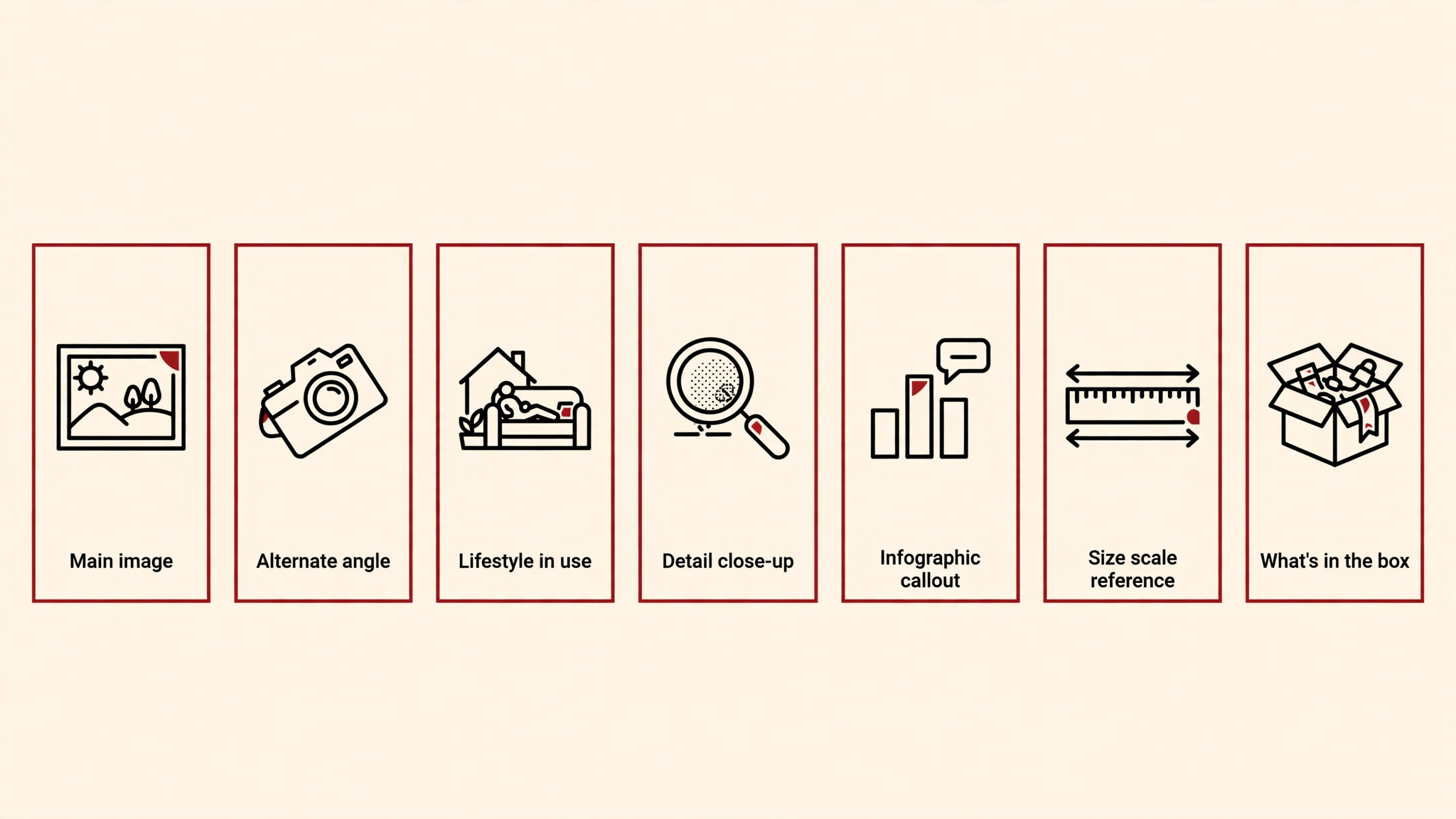
Slot 1 — Main image: compliance and the click. The main image is a compliance gate with hard rules (pure white background, product filling at least 85% of the frame, no text or graphics — the full checklist is in my 2026 listing image requirements article, and I’m not repeating its rules here). Its job is not to sell. Its job is to get clicked in search results and survive Amazon’s automated checks. Clarity beats cleverness.
Slot 2 — In-use / context: the life the buyer wants. The product in the buyer’s real setting — the tool in a hand, the kitchen gadget mid-cook, the organizer on an actual desk. This is the first emotional image, and it belongs early because it’s the moment the buyer pictures ownership. Studio white explains the product; context sells the outcome.
Slot 3 — The differentiator infographic: why this one costs what it costs. The one feature that justifies your price, as a designed graphic. If your product is 30% more expensive than the listing above you, this panel is where you earn that gap — the thicker material, the extra capacity, the mechanism the cheaper one lacks. One differentiator, not five; the panel that tries to say everything says nothing.
Slot 4 — Dimensions / fit: the return-preventer. Measurements on the product itself, or the product against a scale reference. “Will it fit” is the single most common wrong-purchase question in categories from kitchen to furniture to tools — and it’s the question most often buried in bullet points nobody reads. A fit panel in slot 4 has prevented more returns than any copy tweak I’ve ever made.
Slot 5 — What’s in the box / comparison: exactly what arrives. For multi-piece sets: the full inventory, labelled. For single products: a comparison against the category’s standard — your product versus a generic baseline, never a named competitor. Either way, this panel answers the last logistical question before the buy button: “am I getting what I think I’m getting?”
Slot 6 — Detail close-up: material, texture, build quality. The macro shot — the stitching, the hinge, the grain, the finish. This is the image for the buyer who is one zoom away from purchasing and wants proof of quality. On premium-priced products, this panel does disproportionate work: it’s the visual evidence that the price is real.
Slot 7 — Video, if you have one. Amazon’s recommendation includes one video, and it earns its place for what stills can’t do: motion, setup, scale in real time, the product working. A 30-second assembly or in-use clip answers questions no gallery of stills can. If you don’t have video yet, a seventh still with a distinct job (packaging/unboxing, a second lifestyle scenario) beats an empty slot — but plan the video, because it’s the slot your competitors are filling.
The mistakes I see most
- Seven angles of the same white-background shot. This is the most common gallery on Amazon, and it tells the buyer you had nothing more to say. Each slot must earn its place with a distinct job — if two images answer the same question, one of them is wasting a slot.
- The selling graphics on the main image. Text, badges, and lifestyle backgrounds on the main image get listings suppressed — the main image’s job is compliance and the click, full stop. Every selling job goes in slots 2 and beyond, where the rules relax.
- Burying the fit panel. Sellers who have a dimensions graphic put it last, after three lifestyle shots. The gallery truncates; the images that prevent the most common objections go first. Fit and quantity panels belong in the front half.
- Treating the video slot as optional forever. “I’ll add video later” usually means never. Amazon recommends one video per listing, and in categories where competitors have them, a video-less gallery looks incomplete. It doesn’t need to be a production — a clean phone-shot demo with good light outperforms no video.
Audit your current gallery in ten minutes
Before you redesign anything, score what you have. Open your listing on your phone — the way most of your buyers will see it — and walk the gallery with this checklist:
- Count the jobs, not the images. Write one line per image: what question does this answer? If two images answer the same question, one slot is wasted. If an image answers no question (“nice angle, no information”), it’s decoration.
- Check the first three. Slots 1–3 get the overwhelming majority of attention. Do they contain your main image (compliant), your context shot, and your differentiator? If your fit panel or quantity panel is sitting in slot 6, promote it.
- Zoom each infographic to thumb size. If the key answer isn’t legible at phone-gallery size, the panel fails for most of your traffic — redesign it bigger and simpler.
- Look for the missing job. Compare your gallery against the seven-slot structure above. The most common gaps I find in audits: no fit/dimension panel (kitchen, tools, furniture), no quantity clarity (grocery, multi-packs), no quality close-up (anything premium-priced). The missing job is your next design brief.
- Check main-image compliance last. Pull the requirements checklist (2026 listing image requirements) and verify the main image against it — background pixels, fill percentage, no text. One non-compliant main image undoes a perfect gallery.
Do this quarterly, not once. Categories move — competitors add video, Amazon tweaks display, your product line grows. A gallery that was best-in-category eighteen months ago is average today. The ten-minute audit is how you stay ahead of that decay.
How this connects to the requirements checklist
Image count and image compliance are two halves of one system. The count structure above assumes every image also passes Amazon’s technical rules — 500–10,000 px on the longest side, 1,000 px minimum for zoom, JPEG preferred, pure white main image. If you haven’t read it, my 2026 listing image requirements checklist covers the compliance half in full, including the category exceptions and the rejection reasons I see most.
The rule of thumb I leave every client with: Amazon requires one image and recommends six plus a video — but the number was never the point. The point is that no two of your images do the same job. A six-image gallery with six distinct jobs will outsell a nine-image gallery with two jobs repeated. Structure beats volume, every time.
FAQ
Does Amazon penalize listings with fewer than six images?
Amazon doesn’t publish a penalty for image count. But the recommendation exists because listings with thin galleries convert worse — fewer answered questions means more bounced buyers. Treat “at least six and a video” as the competitive floor in any serious category, not as a rule with a punishment attached.
Should the video replace one of the images?
No — Amazon’s recommendation is six images and one video. The video is additive: it shows motion and process that stills can’t. Don’t sacrifice a working infographic slot to make room for video; add the video as its own slot.
What if my product is simple and I can’t think of six distinct jobs?
Then you’re not looking hard enough at your buyer’s questions. Even a simple product has: the click (main), the context (lifestyle), the one differentiator, the size, the package contents, and the quality proof. If you genuinely can’t fill six distinct jobs, that’s a signal your product page’s copy is thin too — the questions exist whether you’ve answered them or not.
Do all image slots display on mobile?
Gallery display truncates, especially on mobile — which is exactly why this article’s rule is to front-load the first six with your highest-value jobs. Assume a large share of buyers never swipe past the early slots, and order accordingly.
Not sure your gallery’s slots are each earning their place? I audit listing image sets against this exact structure — get in touch and I’ll tell you which slots are working and which are wasted.

Azam Khan Tarakai
Founder, Lystiq Creative — Amazon Listing Image & A+ Content Designer
I design Amazon listing images, A+ Content, Brand Stories and Storefronts that turn browsers into buyers — built on my C.A.S.H. Creative Framework™.
5 Responses