
Key Takeaways
- ✓ Amazon’s published video specs are the baseline: .mov/.mp4, up to 1080p, 5 GB max, 1–12 minutes — keep successful clips 30–90 seconds with the key feature in the first 5–10.
- ✓ The July 2026 synthetic-performer rule applies to product videos: photorealistic AI-generated people need the contains-synthetic-performer XMP metadata keyword before upload.
- ✓ AI video excels at simple product motion and wobbles on exactness — verify shape, colour, labels, and parts against your real product in every clip.
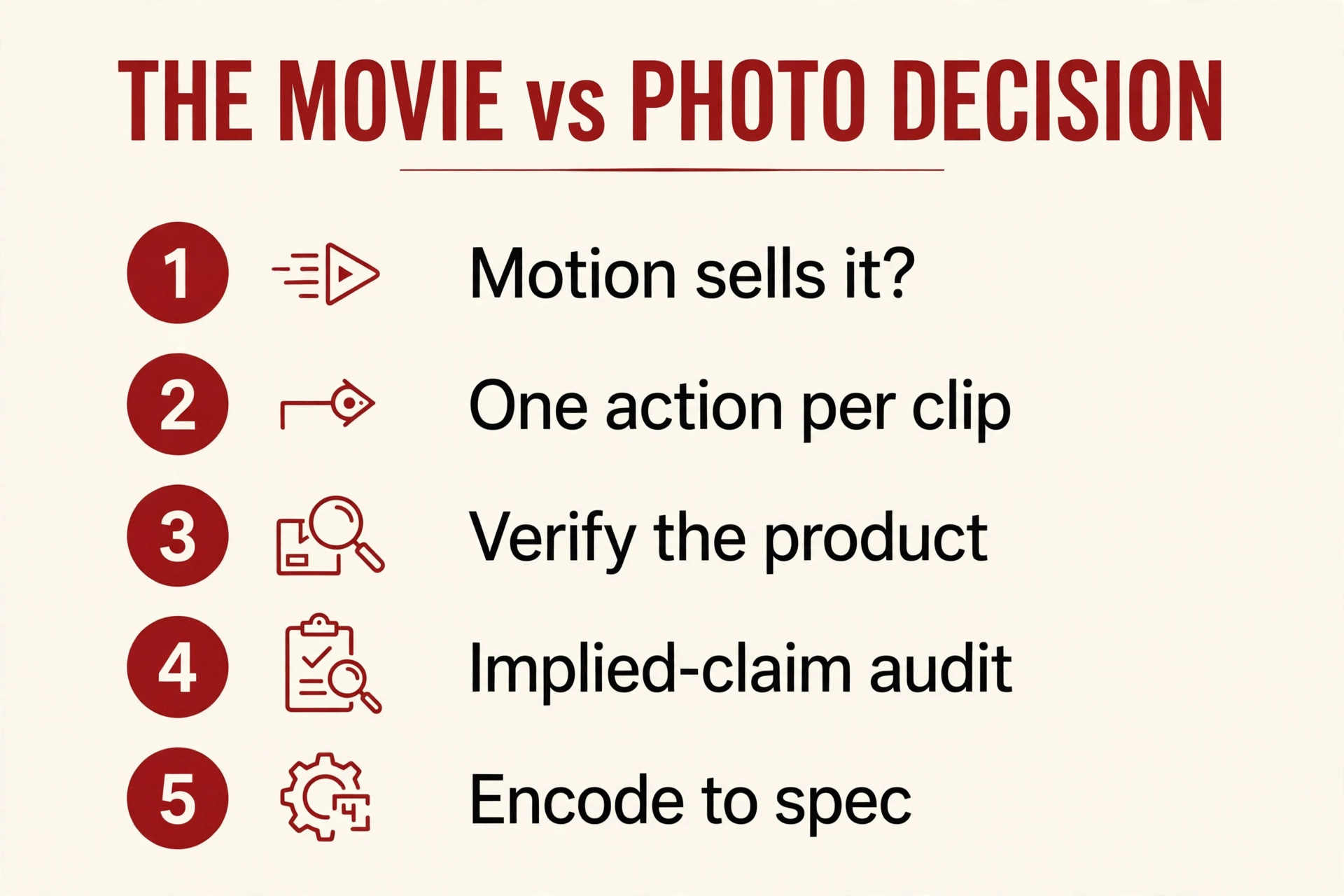
- ✓ Run the MOVIE vs PHOTO framework: motion sells it, one action per clip, verify the product, audit implied claims, encode to spec.
- ✓ A video only sits in the main media block with fewer than six images — plan the image stack around it, and allow up to three days for review (seven in Q4).
Sellers ask me the video question in one of two tones: “can I just generate one and skip the shoot?” or “Amazon’s video slots feel like a trap — what are the rules I can’t break?”
Both instincts are half right. Amazon publishes clear video specs — but the AI-specific rules live in three places: Amazon’s own video page, the July 2026 synthetic-performer notice, and the review desk, which publishes no checklist at all.
Here’s all three: the rules, the honest quality picture, and the framework I use with clients — when AI video genuinely beats still photography, and when it’s a shortcut that costs more than it saves.
Key takeaways
- Amazon’s own video specs (sell.amazon.com, 2026): .mov/.mp4, up to 1080p, 5 GB max, 1–12 minutes; the strongest clips are 30–90 seconds with the key feature in the first 5–10.
- A video only appears in the PDP main media block when the product has fewer than six images — plan your image stack around that.
- The July 2026 synthetic-performer rule covers product videos: photorealistic AI-generated people need the contains-synthetic-performer metadata keyword before upload.
- AI video in 2026 is excellent at motion-driven demos and weak at exactness: hands, rendered text, brand colours, and long-clip consistency are the tells.
- Use the MOVIE vs PHOTO framework: motion sells it, one action per clip, verify the product, audit implied claims, encode to spec.
What Amazon actually publishes about listing video
Amazon’s own video guide for sellers (sell.amazon.com, 2026) is the authority I anchor everything to:
| Requirement | What Amazon publishes |
|---|---|
| File format | .mov or .mp4 |
| Resolution | Up to 1080p — highest available quality recommended |
| File size | Maximum 5 GB |
| Length | Between 1 and 12 minutes |
| Thumbnail | System-generated, or custom (.jpg, .png, .gif, .bmp) |
| Upload path | Seller Central → Catalog → Upload and Manage Videos |
And the placement rule sellers miss most: for a shoppable video to appear in the main media block of the product detail page, the product must have fewer than six images. The most recently uploaded video gets priority, and videos typically appear within about three days after approval.
Amazon’s practical guidance: the most successful videos are 30 to 90 seconds, and they surface the most important feature in the first 5 to 10 seconds. Product overview, how-to demonstration, quick unboxing, basic setup instructions.
Two things sit on top of the spec table. Review takes time — Amazon warns it can reach seven business days in holiday seasons, so submit early. And the review checklist itself is not published: Amazon confirms the video goes to review, but not what the reviewer checks. The rejection patterns below come from trade press and agency write-ups — I’ll label them as such rather than quoting them as Amazon’s words.

The one AI-specific rule that bites sellers
This is the most important sentence in this article.
In July 2026, Amazon notified sellers that listing media containing photorealistic AI-generated people — “synthetic performers” — must carry the keyword contains-synthetic-performer in the file’s XMP dc:subject metadata before upload. The seller notice, reviewed by CNBC and reported by BigGo Finance and eMarketer, explicitly covers “product images or videos” and A+ content — “videos and other graphics” on the product page.
The scope is deliberately narrow, and sellers get it wrong in both directions. Only photorealistic, fully AI-generated people need the tag. Product-only footage, real people on camera, and real people edited with AI tools are exempt. Amazon’s notice also says a visible shopper-facing indicator may follow on the listing itself — eMarketer notes the criteria for when it appears have not been specified.
Two practical consequences for your video plan:
- A generated demo with a synthetic presenter needs the metadata step. If your AI clip shows a photorealistic AI person demonstrating the product, the tag goes in before upload — the same workflow I covered for images in the AI disclosure article (https://lystiqcreative.com/?p=855).
- A label can cost you trust. eMarketer’s take is blunt: when two competing listings sit side by side, a visible “synthetic people” indicator creates a small credibility gap that pushes shoppers toward the unlabeled listing. If your demo works just as well without an AI person — a clean product-only demo, a hands-only assembly clip — you sidestep the whole issue.
The honest conflict: agency spec tables vs Amazon’s actual page
Here’s a conflict I promised, presented the way I handled it in my AI main image article (https://lystiqcreative.com/?p=763): both readings, labelled.
Reading 1 — the strict tables. Vendor and agency checklists print a precise encode gate for listing video: H.264 codec, 1920×1080 minimum, 16:9, constant 23.976 or 30 fps, AAC audio at 96 kbps+, under 500 MB, roughly 6–45 seconds (ffmpeg-micro.com’s 2026 guide).
Reading 2 — Amazon’s own page. Amazon says: .mov/.mp4, up to 1080p, up to 5 GB, 1–12 minutes. No codec, no frame rate, no minimum resolution.
They aren’t in conflict the way people think. Amazon’s page is the authority on what’s accepted; the stricter tables are vendor “pass review with one encode” heuristics. I treat Amazon’s page as the requirement and the stricter tables as insurance: encoding to 1080p H.264 with clean audio costs nothing and eliminates the most boring rejection category there is.
One more conflict you’ll meet in AI playbooks. SellerForge’s 2026 guide states that Amazon’s policy “explicitly does NOT allow AI-generated main images.” As I established in the main image article (https://lystiqcreative.com/?p=763), no such one-line ban is published by Amazon — the company’s public guidance centers on accurate product representation. The conservative working rule (real photo for the hero slot) still stands, but its basis is accuracy risk, not a quoted ban. Don’t let a playbook’s certainty replace a policy you can actually verify.
What AI video actually looks like in 2026: strengths and the tells
I covered the still-image half in my AI product images article (https://lystiqcreative.com/?p=845) and the shoot-vs-generate call in the AI photography question (https://lystiqcreative.com/?p=1027). Video has its own reality.
Where AI video is genuinely good now. Product-only motion shots: a bottle rotating, a lid opening, liquid pouring, a fabric flexing. The models are strong when one recognisable product moves simply against a stable background. That’s why demo products — kitchen tools, organisers, anything with a moving part — are the natural home of AI video.
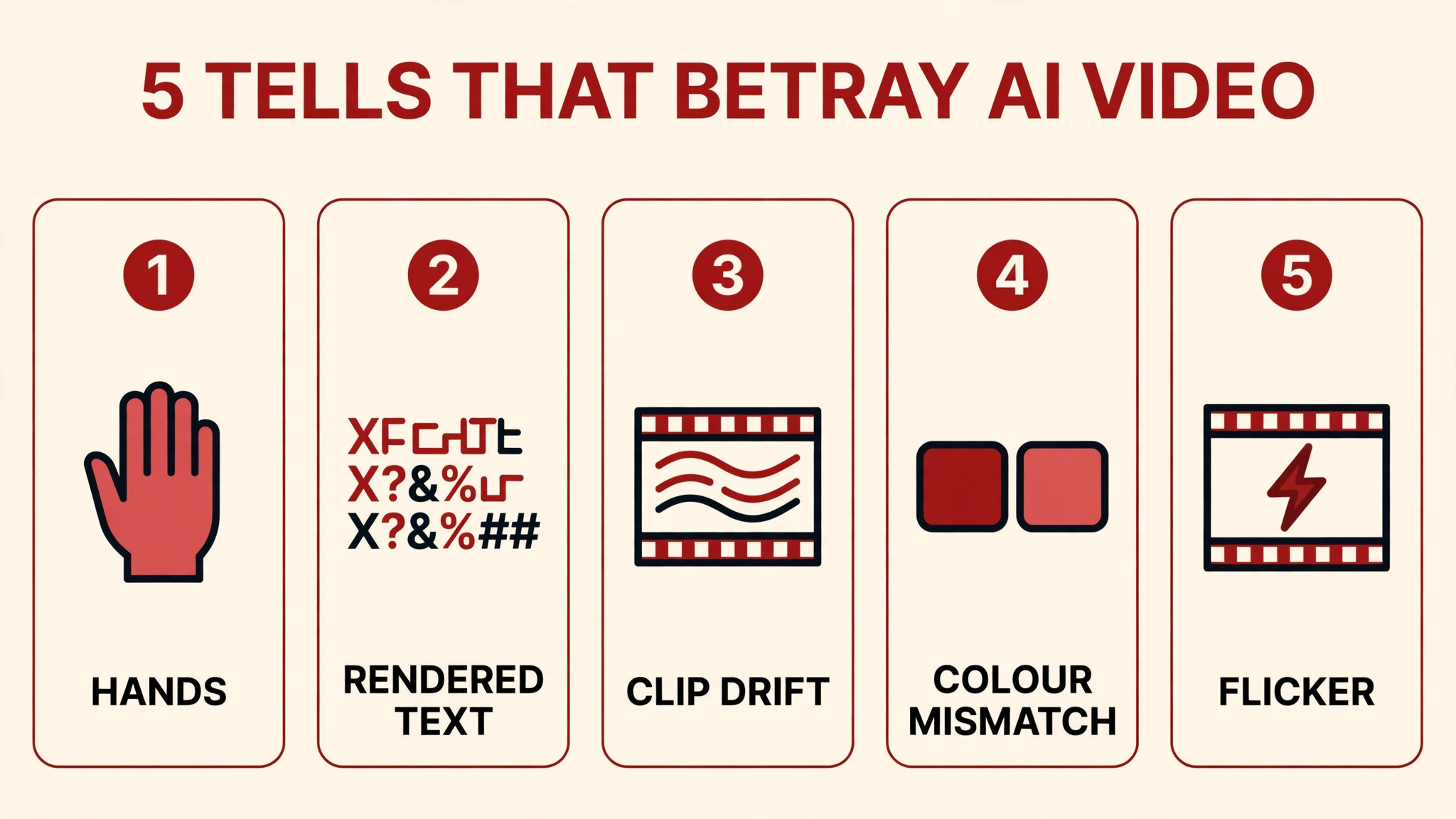
Where it still betrays itself. Practitioner analysis of current models (8frame.co, 2026) maps the failure terrain honestly: hands (improving, still the most common anatomical tell), rendered text (labels and packaging copy drift — the fix is to overlay real text in the edit layer), long-clip consistency (quality holds for short bursts, degrades past roughly 12 seconds), brand colours (exact brand-colour match is, in one analyst’s words, “unlikely to be solved by end of 2026” — the model samples a red, not your red), and complex multi-character physical interaction (still workaround-dependent). Add temporal glitches — flicker, morphing backgrounds, ghosting — catalogued in Morphic’s 2026 glossary.
The working summary: AI video nails motion of a single object. It wobbles on everything else in the frame. Design your clip accordingly.
AI video vs real video vs still photography
| Dimension | AI-generated video | Real shot video | Still photography |
|---|---|---|---|
| Cost and speed | Lowest per clip; hours to days; retries cheap (vendor plans cited by avocadoai.co’s 2026 comparison start around $10–19/month — attributed, not my budget advice) | Highest: shoot, talent, edit; days to weeks | Medium; one shoot feeds both |
| Product exactness | Drifts: colour, label text, small features can change between frames | Reference truth — what you shoot is what’s sold | Reference truth, controllable pixel by pixel |
| Motion storytelling | Excellent for simple product motion (rotate, pour, open) | Best for complex action, texture, human touch | No motion — the weakness for demo products |
| People | Synthetic presenter triggers the metadata rule and a possible visible label; hands are an artifact risk | Real talent, no tagging, full credibility | Same people rules, framed once |
| Approval risk | Higher when the scene implies claims (a generated pool scene implies waterproofing) | Lower — footage shows what it shows | Lowest for main slots; established rulebook |
The bottom line: AI video’s edge is motion at near-zero marginal cost. Its weakness is exactness. Products where motion is the purchase driver — and exactness is verifiable by the buyer — are the sweet spot.
The MOVIE vs PHOTO decision framework
When a client asks “should I generate the video or shoot it?”, I run this five-step check — the video-specific version of my AI vs human comparison (https://lystiqcreative.com/?p=1019).
M — Motion sells it. Does motion answer the shopper’s top question? A mop’s wringing action, a lock’s mechanism, a light’s brightness shift — if the value is in the movement, video beats a still. If the value is in the detail (a fabric’s weave, a supplement’s label), stills carry the listing.
O — One action per clip. AI video holds when each clip shows one action. “A hand picks up the mug” holds; “picks it up, walks to the window, and waves” breaks in the middle (cliptalk.pro’s plain-English rule). Plan five simple clips, not one ambitious one.
V — Verify the product. Does the generated product match the real one — shape, colour, label, material, parts, accessories, packaging? (Seedance.tv’s 2026 checklist opens with exactly this.) If you can’t verify from your source photos, you don’t have a video — you have a hallucination.
I — Implied-claim audit. A generated scene can imply features the product doesn’t have. Zonhack’s 2026 analysis of Amazon’s ad creative standards is apt: the rules were “written about claims rather than about generation methods,” and rejections “almost always trace to an implied feature rather than to anything about the rendering.” If the clip implies it, your listing copy must already say it.
E — Encode to spec. 1080p H.264 MP4, 16:9, clean audio, 30–90 seconds. Tag synthetic performers if any appear.
If all five pass, AI video is a legitimate play for that SKU. If V or I fails, stop — no amount of prompting fixes a product mismatch or an implied claim.
Annotated example: would I generate video for this SKU?
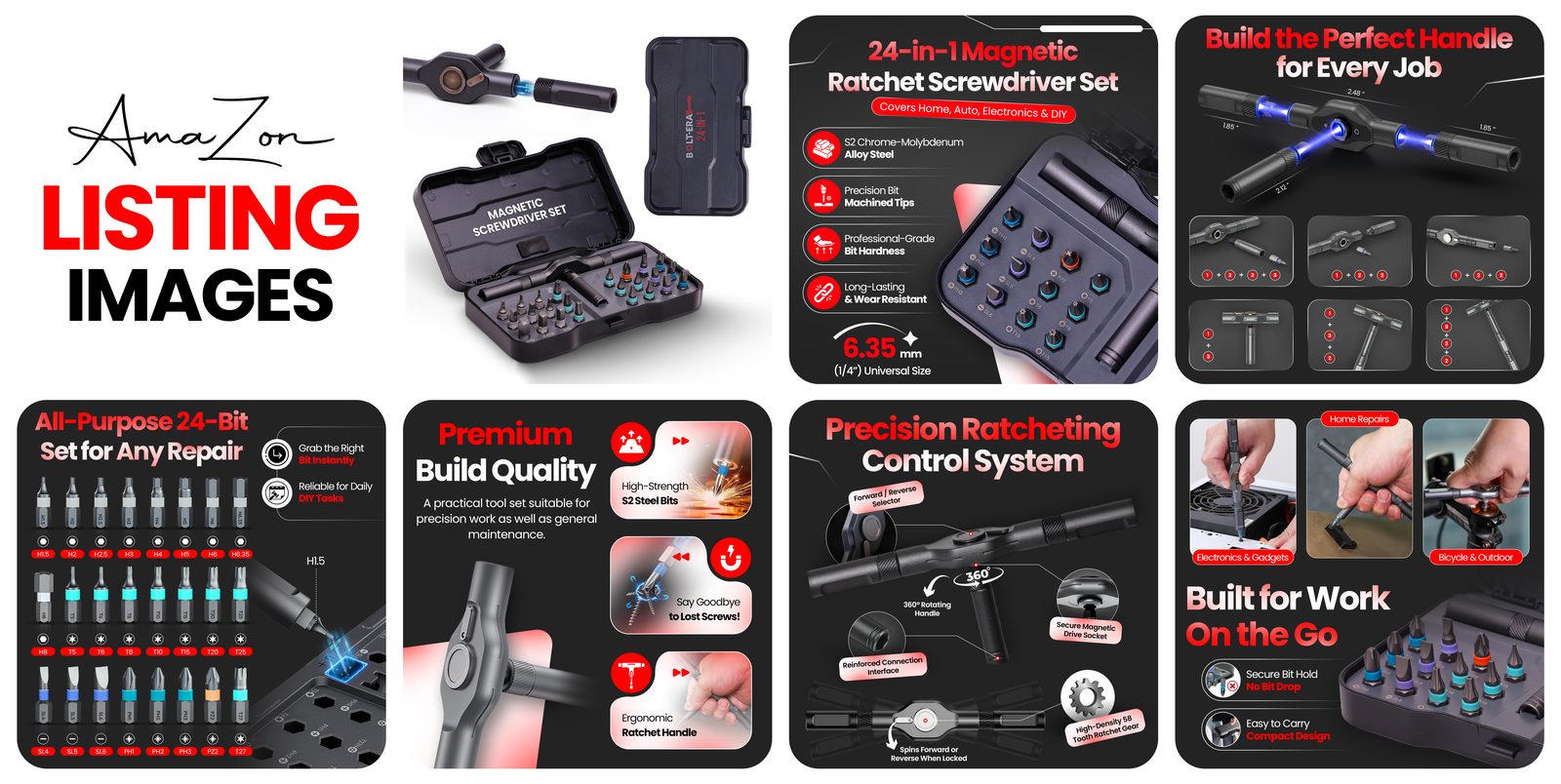
Walk the framework against this ratchet screwdriver kit — real Lystiq Creative listing work:
- M — Motion sells it? Completely. The ratchet click, the bit swap, the case latching shut — stills can show 24 bits; only video shows the ratchet.
- O — One action per clip? Four clips: the click in close-up, a bit sliding in, the case opening flat, the set packing back up. One action each, assembled with real text overlays.
- V — Verify the product? Where discipline matters. The clip must show 24 bits, not a plausible-looking 22. Colours must match the listing photos. I would generate from the actual product photos and count the bits in the frame — the model won’t count for you.
- I — Implied-claim audit? No accessories in the scene that aren’t in the box. Every motion must be something the product physically does. And no implied magnetisation, no implied fit.
- E — Encode to spec? 1080p, 16:9, MP4. No synthetic people needed — hands-only or product-only — so the metadata question never arises. First 5 seconds: the ratchet clicking.
Verdict: generate — with a verification pass on every clip. The counter-example: a premium skincare serum where texture, the dropper’s glass weight, and the exact brand colour are the purchase signal. Shoot that one. (The still-image version of this call is in the AI photography question (https://lystiqcreative.com/?p=1027).)
Mistakes I see constantly
Leading with the synthetic presenter. Sellers generate a photorealistic “host” for the demo, then forget the July 2026 tagging rule exists. The metadata step takes minutes; skipping it turns a good clip into an enforcement problem.
Generating the product from memory. Text-to-video of “a red screwdriver set” without reference photos produces a screwdriver set — not yours. Reference-locked generation from your real product photos is the difference between a demo and a misrepresentation.
Text inside the generated clip. Model-rendered label copy drifts. Every callout, feature line, and CTA goes in the edit layer as real text. The most common artifact I spot in seller AI videos, and the fix is free.
One heroic clip instead of five simple ones. The ambition clip always breaks in the middle. Short single-action clips, assembled in an editor, look more professional and survive review better.
Uploading without a half-speed review. Practitioner guidance (Morphic, 2026): watch footage at half speed, checking edges, hands, and any text. Ten minutes of review replaces ten rounds of regeneration — and have someone who didn’t generate the clip do it.
Ignoring the under-six-images rule. Sellers upload a beautiful video, keep eight images, and wonder why it never appears in the media block. If video matters to the SKU, the image stack has to make room for it.
Your pre-publish checklist
- MP4 (H.264), 1080p, 16:9, clean audio; 30–90 seconds, core feature in the first 5–10
- Product matches the real SKU — shape, colour, label, parts, accessories, packaging — verified frame by frame against source photos
- Every motion is something the product actually does — implied-claim audit against listing copy
- No generated text in the clip; all callouts overlaid as real text
- No accessories, props, or backgrounds that imply items not in the offer; no pricing, badges, ratings, or competitor references
- Photorealistic AI people present? contains-synthetic-performer in the XMP dc:subject before upload
- Custom thumbnail chosen; image stack at five or fewer if the video should sit in the main media block
- Watched end-to-end at half speed by someone who didn’t generate it
Your two-week action plan
Week 1 — decide and prepare. Pick one SKU where motion sells (demo product, moving part, assembly story). Audit the image stack — if the video belongs in the main media block, decide which images stay. Gather clean reference photos from multiple angles. Run MOVIE vs PHOTO; if it fails at Verify or Implied-claims, pick a different SKU or shoot it.
Week 2 — generate and ship. Generate 3–5 single-action clips from your reference photos. Assemble with real text overlays. Run the checklist, including the half-speed review. Tag synthetic performers if any appear. Upload via Seller Central → Catalog → Upload and Manage Videos, set the custom thumbnail, and note the date — check back in 3 days, and don’t panic in Q4 when review can run to seven business days.
FAQ
Does Amazon allow AI-generated videos on listings?
Amazon’s published guidance centers on accurate product representation and technical specs — there is no published blanket ban on AI-generated listing video. The hard rule is the July 2026 synthetic-performer requirement: photorealistic AI-generated people need the contains-synthetic-performer metadata keyword before upload.
Can the video appear in the main image carousel?
Only if the product has fewer than six images — Amazon’s published placement rule, and the most recent upload gets priority.
How long does review take?
Amazon’s own page says videos typically appear within about three days after approval, and holiday review can run to seven business days. Submit early.
Should I use AI video or hire a videographer?
If motion is the purchase driver, the product is mechanically simple, and you can verify every frame against the real SKU, AI video is a legitimate play. If exact texture, colour, weight, or material quality is the signal — premium positioning, complex products, compliance-sensitive categories — shoot it.

Azam Khan Tarakai
Founder, Lystiq Creative — Amazon Listing Image & A+ Content Designer
I design Amazon listing images, A+ Content, Brand Stories and Storefronts that turn browsers into buyers — built on my C.A.S.H. Creative Framework™.