
The main image must show only the product on a pure white background (RGB 255, 255, 255), fill roughly 85% of the frame, carry no text, logos, badges, or props, and be at least 1,000 pixels on the longest side so zoom works. That is the whole compliance spec in one paragraph. Everything below is just that spec unpacked into a checklist you can run against your own images before Amazon’s automated checks run against them.
Why this matters more than it looks: the main image is the most policed image in your gallery. Fail the automated check and the listing gets suppressed — invisible in search until you fix it. And it’s also your highest-traffic image, since it’s what shoppers see in search results. This post is the compliance spec only. For the full image spec — file formats, gallery slots, secondary-image rules — see my 2026 listing image requirements checklist. For how to win the click within these rules, see my main image rules and standout guide. I am not re-teaching either here; this is the compact answer to one question: what must the main image pass?
The main-image compliance checklist. Amazon enforces these automatically, and 2026 guides agree on the core set:
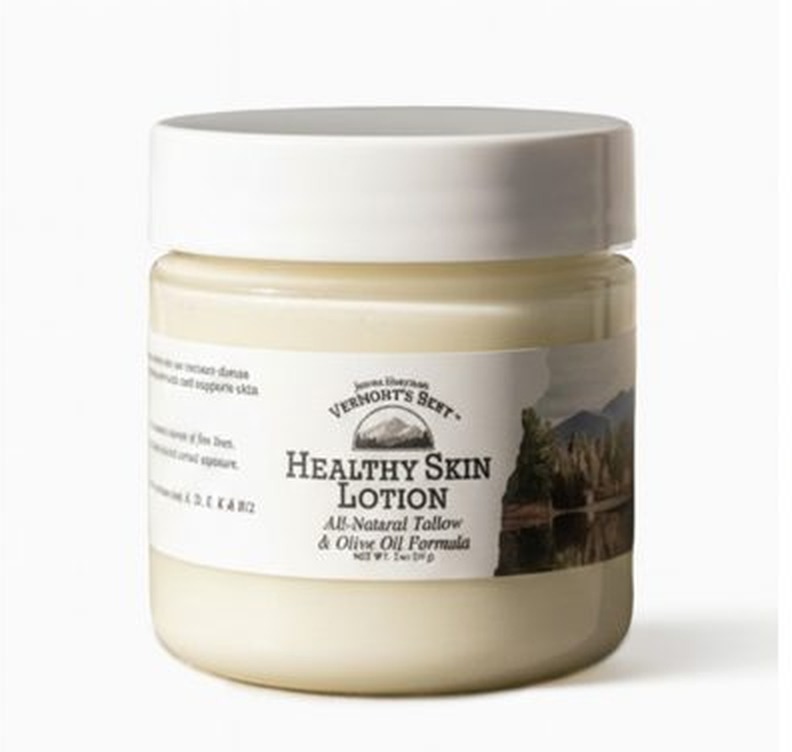
- Pure white background — RGB 255, 255, 255. Not off-white, not light gray, not “close enough.” The check reads pixel values; backgrounds that look white to the eye routinely fail it. This is the single most common suppression trigger in the guides I reviewed.
- Product fills about 85% of the frame. Too much empty white space around the product fails. Center the product and size it generously.
- Only the product, nothing else. No props, no accessories, no packaging — unless those items are included in the purchase. One unit only, or the correct quantity for bundles.
- No text, logos, badges, borders, or watermarks of any kind. No “NEW!” badge, no brand stamp, no callout text. These trigger automated rejection.
- The actual product, fully in frame. No cutoffs, no placeholder graphics, realistic and color-accurate. Amazon’s check watches this slot closely for misrepresentation.
- 1,000 pixels minimum on the longest side to unlock zoom; 2,000 pixels is the recommended target. Sharp and free of pixelation.
- Square (1:1) is the practical shape. Amazon accepts rectangles, but square displays consistently across desktop and mobile and survives search-result cropping best.
Category exceptions sit on top of the general rules. Clothing main images must show the garment on a live model or ghost mannequin; footwear has its own framing conventions (one shoe, angled left). These come from Amazon’s category style guides — and your category’s style guide in Seller Central is the final authority, so check it before you upload. If anything here conflicts with your category guide, the guide wins.
The most common failure I see in seller audits: the background. A studio sweep or gray-ish white that reads “white enough” to the eye, then the pixel check flags it. If your main image ever got suppressed and you can’t see why, the background is where I would look first — sampled at RGB 255, 255, 255, not eyeballed.
Where the compliance floor ends. Passing these checks keeps you listed; it does not win the click. Within the rules, angle, lighting, contrast, and frame fill still decide whether shoppers stop scrolling. That half of the work — how to stand out without touching a forbidden element — is covered in my main image standout guide, which I wrote specifically so this post could stay the clean compliance answer.
Mini-FAQ
Can the main image show the product in use or in a lifestyle setting?
Generally no — the main image is product-only on white, models and lifestyle belong in the gallery. Category exceptions exist (notably clothing), so check your category’s style guide in Seller Central.
Does the main image really have to be 1,000 pixels? Can’t I upload smaller?
Under 1,000 pixels on the longest side you lose hover-zoom, which erodes trust at the decision moment. Amazon’s own guidance lists a wide technical range (500 to 10,000 pixels), but 1,000 is the practical floor and 2,000 the recommended target.
What happens if my main image breaks one of these rules?
The listing is typically suppressed — removed from search until you upload a compliant image. There is no appeal shortcut; fix the image, re-upload, and the listing comes back once the check passes.
Setting up a new listing or auditing an old one? Get in touch — I’ll get your main image compliant and competitive.

Azam Khan Tarakai
Founder, Lystiq Creative — Amazon Listing Image & A+ Content Designer
I design Amazon listing images, A+ Content, Brand Stories and Storefronts that turn browsers into buyers — built on my C.A.S.H. Creative Framework™.