
Key Takeaways
- ✓ AI wins on speed, volume, and cost per variation; human designers win on accuracy, brand consistency, compliance judgment, and strategy. The honest answer is a split, not a winner.
- ✓ Amazon’s rules already settle part of the debate: main images must be real product photos, fully AI-fabricated main images risk suppression, and photorealistic AI people now require a contains-synthetic-performer metadata tag.
- ✓ There is no credible public A/B data proving either side universally converts better — most “AI converts X% more” claims are vendor marketing. Judge by slot, category, and product.
- ✓ The workflow I recommend in 2026: Explore–Verify–Decide — AI generates volume and concepts, a human verifies accuracy and compliance at 100% zoom, you keep the strategic calls.
- ✓ Review-before-use is the non-negotiable rule: every AI-assisted image gets checked for wrong colors, garbled labels, wrong proportions, and phantom details — or it doesn’t get published.
Spend five minutes in any seller group and you’ll hear two sermons.
One says AI has already replaced listing designers — that anyone still paying for human design is burning money. The other says AI-generated images will get your listing suppressed and your conversions quietly destroyed.
Both camps are selling you something.
I’m a designer. My entire business is human design for Amazon listings. And I’ll tell you plainly: AI is genuinely good at parts of this job — parts that used to take me days. The sellers winning right now aren’t picking a side. They’re building a workflow where each side does what it’s actually best at.
Why this comparison is usually rigged
Almost every “AI vs designer” article is written by someone with a product to sell. AI vendors publish tables where AI wins every row. Agencies publish case studies where a seller ditches AI, hires them, and conversion jumps — no control group, no methodology, no independent numbers.
My bias, upfront: I design Amazon listing images for a living. But trashing AI wouldn’t be honest. I’ve used AI image tools in my own workflow for over a year — backgrounds, concept exploration, variation drafts — and some of it is excellent.
The honest framing: design has two jobs. One is production — making assets, variations, backgrounds. The other is judgment — deciding what the shopper needs to see, what claims are safe, whether an image is accurate enough to publish. AI keeps getting better at production. Judgment is still overwhelmingly human.
What AI is genuinely good at
Speed and volume. AI generates dozens of background concepts in the time one studio lighting setup takes. Amazon’s own AI image generator, built into the Ads console, builds ad-ready lifestyle scenes around your actual product photo in seconds — I walked through it hands-on here.
Cost per variation. Once the tooling is in place, the 20th variation costs essentially nothing. Testing scenes, seasons, and palettes used to be prohibitively expensive for small sellers. Now it’s the cheapest part of the process.
Backgrounds and scene extension. AI’s single strongest use in listing design: take a real product photo and generate a believable kitchen, bathroom, or workshop around it. Amazon allows this for secondary images as long as the product itself is accurately represented — I mapped the full safe/careful/flagged zones here.
Concept exploration. Before committing to a shoot or a full design pass, AI mockups show what a composition could look like. It’s the cheapest way to kill bad ideas early.
The pattern: AI is an option-generating machine. The question is whether you have a reliable process for choosing among those options — and that’s where the comparison flips.
What humans are still better at
Accuracy. The big one, and it’s not close. AI models produce plausible images, not accurate ones. AI will invent label text that looks right from a distance, shift your product’s color between images, or add a phantom button your product doesn’t have. Those are exactly the errors behind returns and “not as pictured” 1-star reviews.
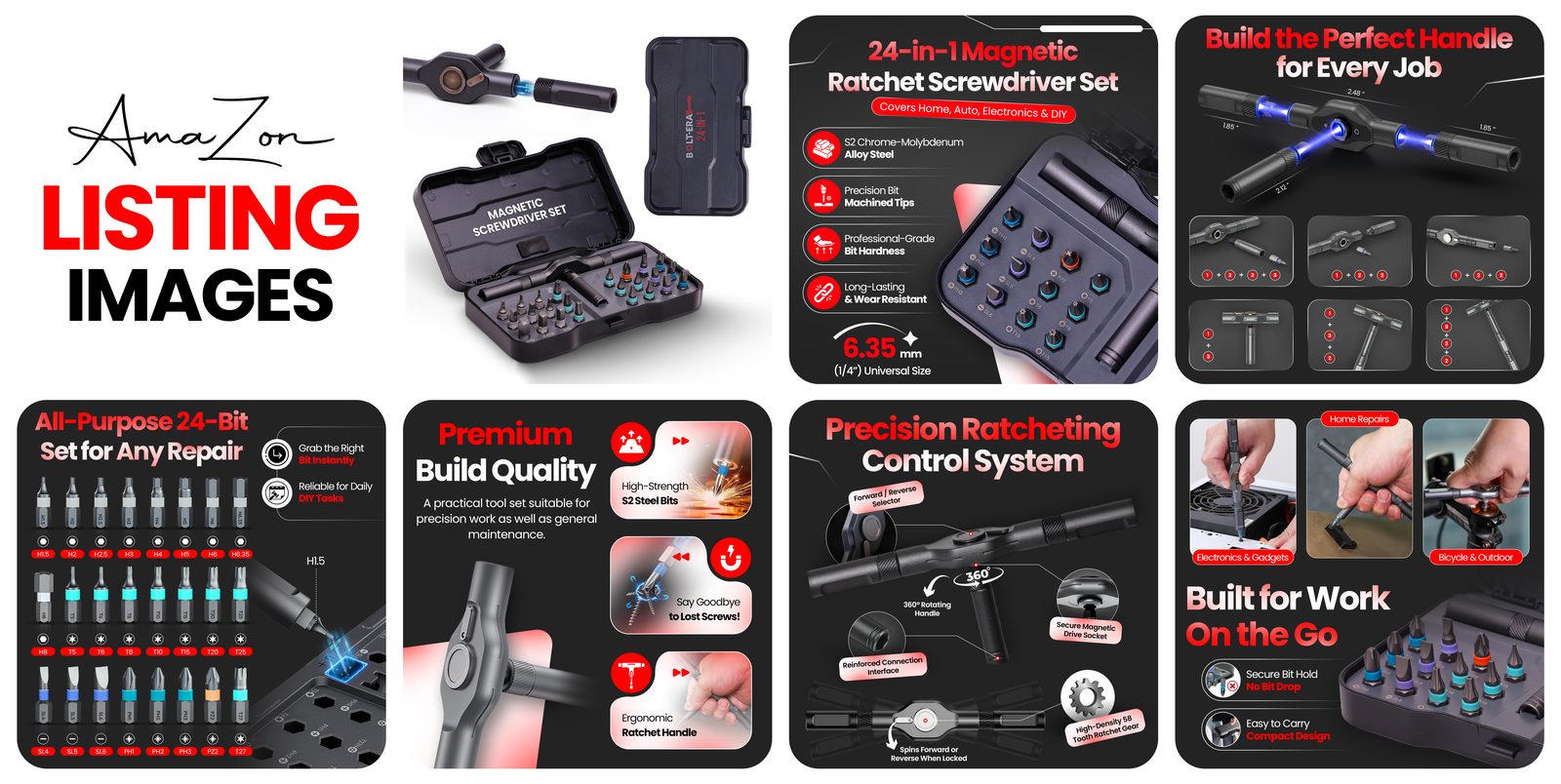
Strategic judgment. Which benefit leads image 2? Do you attack the competitor’s weakness in image 5 or stay above it? AI doesn’t know your margins, your review situation, or your category’s real buying triggers. That gap separates a pretty listing from a converting one.
Brand consistency. A human holds typography, color, and tone steady across seven listing images, A+ Content, and your storefront. Unsupervised AI drifts — slightly different logo treatment here, a different mood there. Inconsistency reads as amateur, and amateur reads as risky.
Compliance judgment. Amazon’s rules keep getting more specific — the 2026 requirement to tag photorealistic AI-generated people with contains-synthetic-performer metadata is one example (full disclosure guide here). AI doesn’t track rule changes. You can.
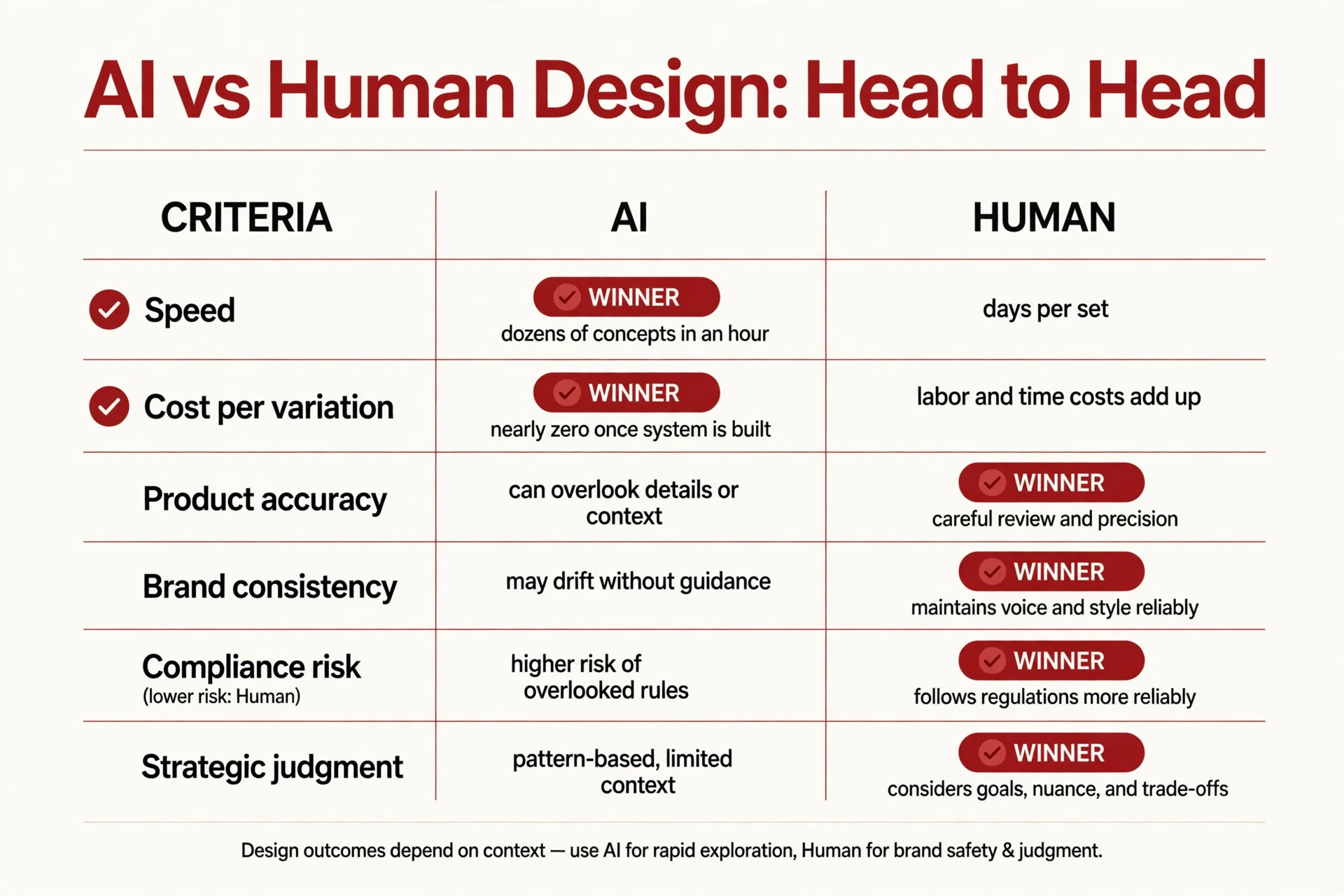
AI vs human design, head to head
One caveat I owe you: this is my practitioner assessment from client work, marked as such. No public, controlled A/B study of “AI-designed vs human-designed Amazon listings” exists that I’m aware of. A 2026 industry guide I respect made the same point: no credible universal benchmark proves either side always converts better — it depends on slot, category, offer, traffic, and reviews. Treat any article declaring a universal winner, including this one, with skepticism.
| Dimension | AI | Human designer | Edge |
|---|---|---|---|
| Speed | Dozens of concepts in an hour | Days per finished set | AI |
| Cost per variation | Near zero at volume | Each variation is billed labor | AI |
| Product accuracy | Plausible, not faithful — invented labels, color drift, phantom details | Checked against the real product, spec by spec | Human |
| Brand consistency | Drifts without strict guidance | Holds type, color, and tone across every asset | Human |
| Compliance risk | Doesn’t know or track Amazon’s rules | Builds the rules into the workflow | Human |
| Strategic judgment | Optimizes for “looks good” | Optimizes for “sells” — positioning, sequencing, objection handling | Human |
| Catalog scale | Hundreds of SKUs, consistent pipeline | Bottlenecked by hours | AI-assisted |
AI wins production, humans win judgment. But AI’s two wins — speed and cost — changed this industry’s economics in two years. “Just hire a designer and ignore AI” wastes as much as “just use AI and skip the designer.”
Where Amazon’s own rules decide for you
Part of this debate doesn’t need an opinion — Amazon already settled it.
The main image must be a real photograph of the product. Amazon bars illustrations and renders in slot 1; current guidance calls for a professional photo on pure white (RGB 255, 255, 255), 1,000px+ on the longest side. An AI-generated-from-scratch main image that misrepresents the product is a suppression risk. Current specs here; the main-image AI question here.
AI is fine for secondary images that accurately represent the product. Backgrounds, scene extensions, infographic support — standard practice now. But “accurately represent” is doing real work in that sentence.
Photorealistic AI people need a metadata tag. Since mid-2026, fully AI-generated people in your images require the contains-synthetic-performer keyword in the file’s XMP metadata before upload. Real photos — even AI-retouched ones — and product-only AI scenes don’t need it. Miss the tag and the image can be flagged or removed.
The compliant 2026 workflow is already hybrid by rule: real product photo in slot 1, AI-assisted scenes in supporting slots, human oversight on accuracy and disclosure. The real question is where the human sits — my answer: at every decision point, not every production step.
The Explore–Verify–Decide workflow
The framework I use with clients, and what I’d recommend to any seller in 2026:
1. AI explores. Give AI the production job: background concepts, lifestyle scene options, seasonal variations, ad creative tests. Generate more options than you could ever afford the old way, so your choices get better.
2. A human verifies. Before anything touches your listing, a human — you or your designer — inspects every AI-assisted image at 100% zoom: colors vs. the real product, label text letter by letter, proportions, phantom objects, brand fonts, and the disclosure question. Accuracy and compliance are human jobs. They can’t be delegated to the thing that made the errors.
3. You decide. Strategy stays with the seller: which concept fits your positioning, what your reviews say shoppers are confused about, how to sequence the seven slots. No tool knows your business.
You get AI’s economics without AI’s risks. The review step is the toll booth every image passes through — cheap compared to a suppressed listing or a wave of “not as pictured” returns.

Annotated example: what the verify step actually catches
A hypothetical — clearly labeled as illustrative, because the point is the process, not a real case.
A seller launches a supplement bottle and uses AI to generate a lifestyle scene: bottle on a bright kitchen counter, a hand reaching for it. At thumbnail size it looks fantastic. At full resolution, the verify step finds:
- Garbled label text. The supplement-facts panel looks perfect at 200px wide. At 100% zoom, the “text” is AI gibberish. Supplement shoppers zoom. Fix: composite real label artwork from the dieline; never let AI redraw text.
- Cap color drift. Navy cap here, matte black cap in the main image — reads as “different product,” invites returns. Fix: color-match to the approved hero photo.
- A phantom detail. A second bottle cap reflected in the countertop that doesn’t exist. Fix: remove in retouch; check reflections specifically.
- A synthetic hand, untagged. The hand is fully AI-generated, triggering the 2026 disclosure rule. Without the metadata tag, this image is a takedown risk. Fix: tag it, or use a real photographed hand.
Four catches, one image, all invisible at thumbnail size. That’s the step no AI tool performs on itself.
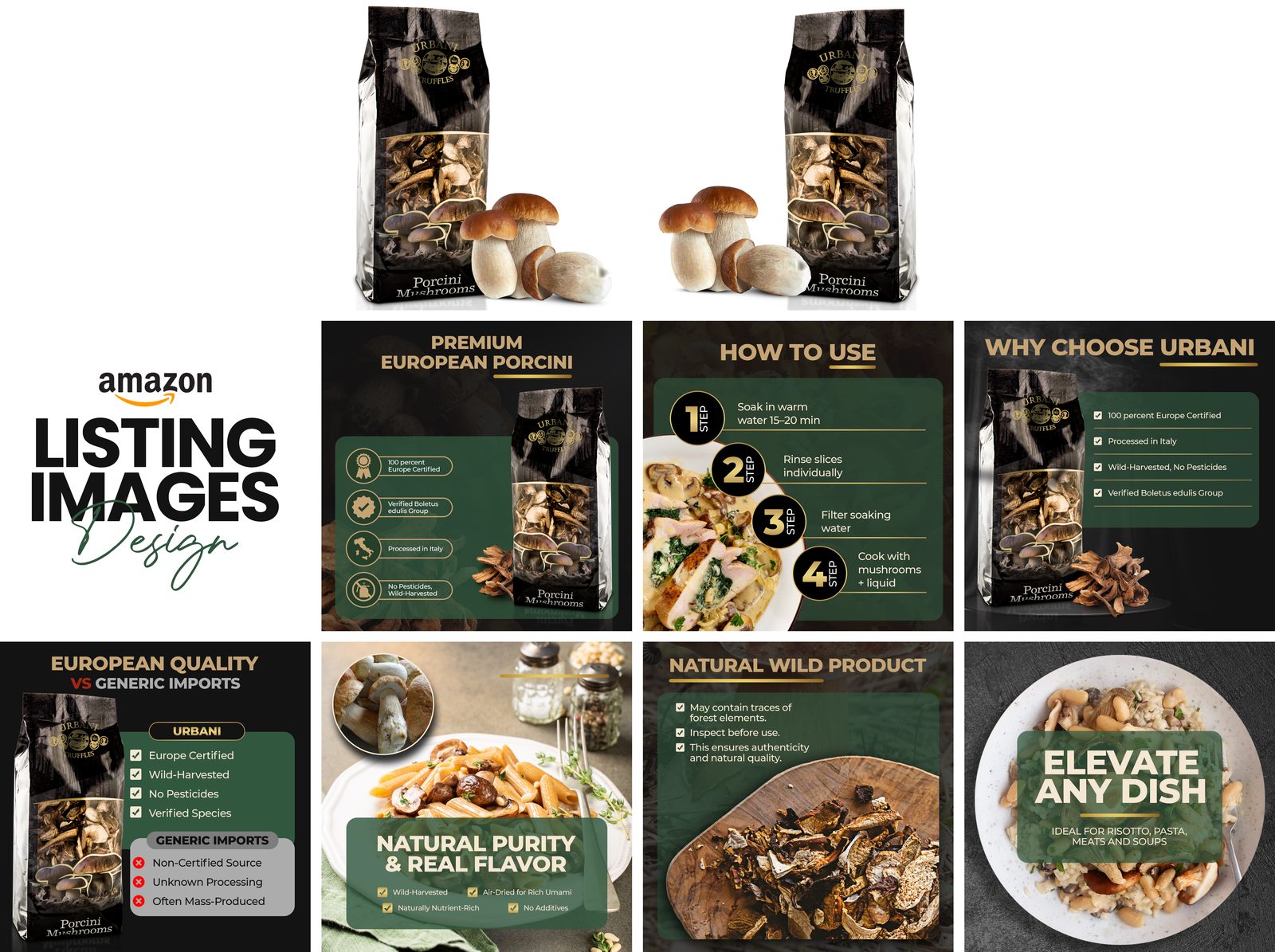
Mistakes I see constantly
Publishing AI images straight from the tool. The most common and most expensive mistake. The tool is not a quality gate — every image gets the 100%-zoom inspection, no exceptions.
Using AI for the main image and hoping nobody notices. Amazon’s systems and competitor reports both notice eventually. Slot 1 is a real photo: settled law, not a gray area.
Letting AI write infographic copy unsupervised. An AI that writes “FDA approved” on your supplement infographic just created a compliance disaster. Claims are verified by humans against documentation. Always.
Ignoring color consistency across AI scenes. Each generation is a fresh roll of the dice on color. Run every AI scene through a color-matching pass against your hero product photo.
Skipping the disclosure tag on synthetic people. Sellers usually learn about the 2026 metadata rule from a suppressed listing. Build the tag into your export workflow so it’s automatic.
Assuming “AI-assisted” means “strategy-free.” AI optimizes for aesthetics. Your listing must optimize for the specific objections your shoppers have — a strategy input no prompt can supply.
Pre-publish checklist
- Main image is a real product photo: pure white (RGB 255, 255, 255), 1,000px+ longest side, product fills 85%+ of frame
- Every AI-assisted image inspected at 100% zoom: colors match the hero photo, label text real and legible, proportions correct
- No phantom objects, extra fingers, warped logos, or impossible reflections
- Synthetic people tagged (
contains-synthetic-performerin XMP metadata before upload) or replaced with real photography - Every infographic claim verified against the actual product and documentation
- Typography, colors, and logo treatment consistent across all seven images
- Sequence tells a story: hook → proof → differentiation → objection handling → trust
- A+ Content reviewed against Brand Registry specs (separate module system, own image sizes)
- Mobile check: text readable at phone size, center-weighted compositions survive the crop
Your 4-week action plan
Week 1 — Audit and experiment. Score your current gallery against the checklist. In parallel, generate 10–15 AI background and scene concepts for your hero product. Publish nothing yet — you’re building an options pile.
Week 2 — Verify and shortlist. Run your three strongest concepts through the full verify step: 100% zoom, color match, disclosure check. Kill anything with unfixable accuracy problems. Shortlist two.
Week 3 — Finish like a professional. The human pass: composite real product photography and real label art into the winning AI scenes, write and verify every infographic claim, lock brand consistency, sequence the seven slots. If you work with a designer, this is the week their judgment earns its fee.
Week 4 — Publish and measure. Upload, confirm the main image renders, and watch click-through from search (the main image’s job) and unit session percentage (the gallery’s job). Isolate your variables: change the creative, hold price and everything else, give it two clean weeks of traffic.
FAQ
Can AI completely replace my listing designer in 2026?
Not responsibly. AI can replace the production portion — backgrounds, variations, concept drafts — but accuracy verification, compliance, brand consistency, and strategy still need a human. Sellers who go 100% AI with no review step end up with garbled labels, color drift, and disclosure violations.
Is it cheaper to use AI instead of hiring a designer?
Per variation, yes — dramatically. But the real comparison is the total cost of a correct listing: AI tool cost plus your time (or a designer’s) for the verify-and-finish pass. For simple products, that hybrid total can beat full-service design. For complex products or premium positioning, human judgment is most of the value anyway.
Will Amazon penalize AI-generated listing images?
Amazon penalizes inaccurate and non-compliant images, not AI as a technology. AI-assisted secondary images that accurately represent the product are standard practice. Fully fabricated main images, misleading scenes, and untagged synthetic people are where suppression, flagging, and removal live.
Should I use AI for A+ Content?
AI can help with A+ visual variations and layouts, but A+ is your brand storytelling flagship — accuracy and narrative matter most there. Keep it in the “AI-assisted, human-finished and human-reviewed” bucket. Here’s how I approach A+ design.
How do I know if my AI images are “accurate enough”?
Put the AI image next to the real product and check color, text, proportions, and details at full zoom. If a shopper could receive the product, compare it to your image, and feel misled about anything — it’s not accurate enough. When in doubt, composite the real product photo into the AI scene instead of letting AI draw the product.
The AI-vs-human debate will keep generating heat, because both sides have something to sell you. Your listing doesn’t need a side — it needs a system. AI explores, a human verifies, you decide.
If you’d rather hand the verify-and-finish pass to someone who does it daily, that’s what my design service is for — or reach out to talk through your specific product. Either way, don’t publish unreviewed AI images. Your listing will thank you.

Azam Khan Tarakai
Founder, Lystiq Creative — Amazon Listing Image & A+ Content Designer
I design Amazon listing images, A+ Content, Brand Stories and Storefronts that turn browsers into buyers — built on my C.A.S.H. Creative Framework™.