
Almost every A+ rejection I’ve seen traces back to Amazon’s A+ content policy — the rules that separate product education from promotion. Amazon reviews every A+ submission before it goes live, and the most common tripwires are promotional language, price and discount mentions, guarantee claims, unsubstantiated claims, competitor naming, review screenshots, and anything that sends shoppers off Amazon (external links, QR codes, contact info). Sloppy quality — typos, low-resolution images, wrong module dimensions — causes the rest.
Good news: rejections are almost always fixable. Here are the top nine reasons, each with a one-line fix.
The top 9 rejection reasons
- Promotional language. Words like “best,” “cheapest,” “top-rated,” or “buy now” read as advertising, not product information. Fix: describe the product factually and let the features make the case.
- Price, discount, or shipping claims. Mentioning a sale, a percentage off, or fast delivery in your A+ copy or imagery is one of the most common rejections — even if the same promotion is running elsewhere on the listing. Fix: strip pricing language entirely; save deals for the spaces Amazon actually allows them, like coupons or deal badges.
- Guarantee or warranty promises. “Satisfaction guaranteed” and “money-back guarantee” are instant rejection triggers. Fix: reassure through specifics instead — materials, durability details, testing, what’s in the box.
- Unsubstantiated claims. Awards, certifications, and “clinically proven” style claims need proof Amazon can check. Fix: name the certifying body and the year, or drop the claim.
- Naming competitors. “Better than [brand]” gets rejected; Amazon wants no competitor callouts by name. Fix: compare within your own catalog, or against vague “standard models.”
- Review screenshots and rating callouts. Amazon keeps reviews in the review section — pasting them into your A+ modules is not allowed. Fix: remove screenshots and star references; your reviews speak for themselves where they live.
- External links, QR codes, or contact info. A+ Content must be self-contained — nothing that routes shoppers off Amazon. Fix: strip URLs, QR codes, phone numbers, and email addresses from every module.
- Imitating Amazon’s branding. Mocking up Amazon badges, logos, or Amazon’s own design language reads as deceptive. Fix: keep your brand’s visual identity distinct from Amazon’s interface.
- Untagged AI-generated people. In 2026, Amazon introduced a requirement: add the metadata keyword
contains-synthetic-performerto any image or video showing a photorealistic person generated entirely by AI — real people (even AI-edited) don’t need it. Check Seller Central news for the current wording before you submit. Fix: add the keyword to the file’s XMP metadata with an IPTC-compatible editor before uploading, and confirm the current requirement in Seller Central before you submit.
And the boring one that never stops happening: typos, grammar mistakes, blurry images, and wrong dimensions. Amazon’s reviewers notice all of it. Fix: run a full pre-submit pass (checklist below) on both desktop and mobile preview.
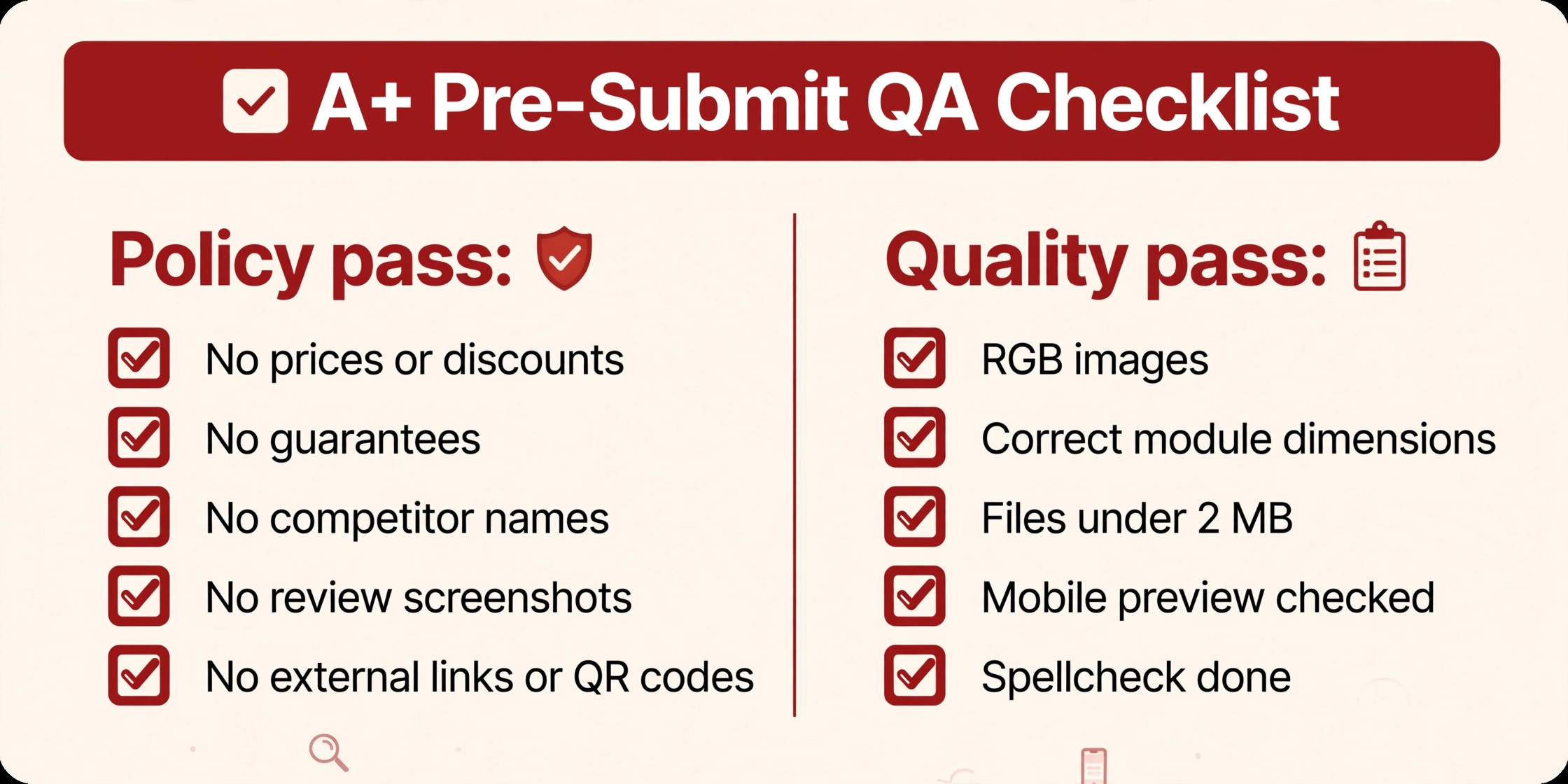
Pre-submit checklist
Policy pass:
- No prices, discounts, or “sale” language anywhere
- No guarantees or warranty promises
- No competitor names
- No review screenshots or rating callouts
- No external links, QR codes, or contact info
- No Amazon logos, badges, or imitated Amazon design
Quality pass:
- Images in RGB, at the correct module dimensions, under 2 MB
- Mobile preview checked in A+ Content Manager
- Spellcheck and a fresh-eyes read done
- AI-generated photorealistic people tagged if applicable
Once your content is approved, the bigger risk is weak content — my breakdown of A+ Content mistakes that kill conversions covers the conversion killers.
Mini-FAQ
Will a rejection hurt my account?
No. A rejected A+ submission isn’t an account penalty — fix the flagged items and resubmit. Amazon doesn’t publish a fixed review clock, so plan for a few days of turnaround each round.
What if my content follows the rules but was still rejected?
Read the specific reason in Amazon’s rejection notice and fix exactly that — rejections almost always name the violating module or rule. Seller Central’s A+ policy page is the final authority, not third-party guides (including this one).
Can I resubmit as many times as I need?
Yes. Each submission gets a fresh review, so iterate until it passes.
If you’d rather skip the rejection dance entirely, my A+ Content design service builds modules around Amazon’s rules from the first draft — and the A+ image sizes and requirements guide covers the technical specs Amazon checks. Questions? Reach me through the contact page.
One Response