
Square — a 1:1 aspect ratio — is the shape your Amazon product images should be. That’s the short answer, and it holds for every slot on the listing. Amazon strongly recommends square images, and everything about how Amazon displays images is built around square containers: the search-result grid, the product-page carousel, the mobile layout your shoppers actually use. For the full spec checklist (dimensions, formats, main-image rules), see my 2026 listing image requirements guide — this post is about what shape does to your display, not the spec sheet.
Why square wins: Amazon’s display is a square world. When a shopper scrolls search results, every product thumbnail sits in an identical square cell. On the product page, the main image area is square. On mobile — where the majority of Amazon shopping happens — the carousel is square. A square image fills its container edge to edge. Nothing else does.
What happens when your image isn’t square. Amazon doesn’t stretch or crop your image to force it into the square container — instead, the image sits inside the square with white padding filling the gaps. A wide image gets padding top and bottom; a tall image gets padding left and right. Nothing is cut off, but your product renders smaller than the square next to it in the grid, because it’s sharing its cell with empty space. In a search results page, where your thumbnail fights a dozen neighbors for the click, that size difference is not cosmetic — it’s the difference between being seen and being skimmed past.
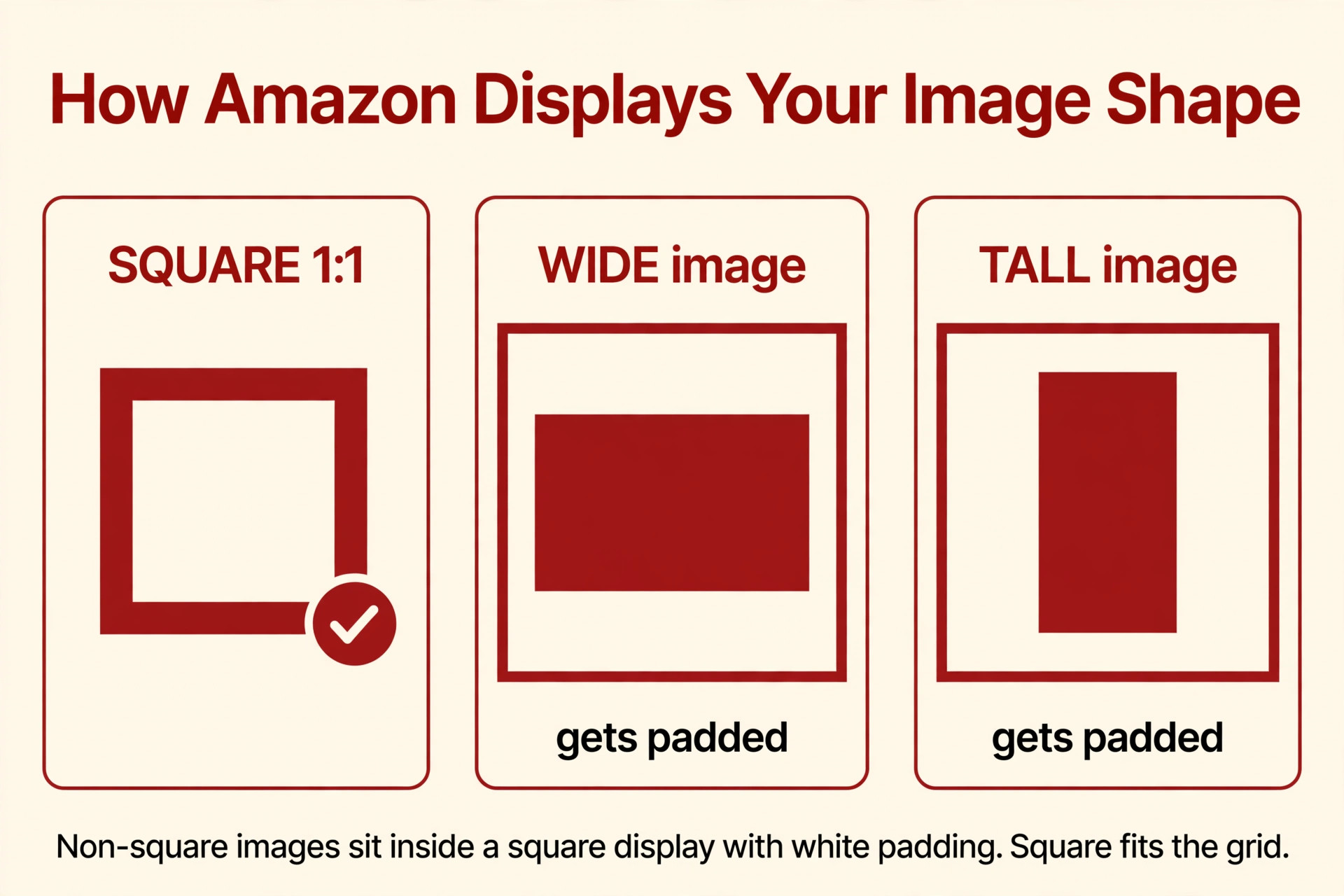
This is the trap I see most with DIY images: a seller photographs a wide product — a doormat, a soundbar, a long shelving unit — and uploads the wide photo as-is, assuming Amazon “understands” the product’s shape. Amazon understands fine; it just pads the sides and shows the listing as a thin strip floating in a big white square. The professional fix is to design on a square canvas from the start: the wide product photographed horizontally, centered, on a square background — white for the main image, any setting for gallery shots. Same product, same photo, dramatically bigger presence in the grid.
Tall products have their own version of this. Water bottles, floor lamps, vacuum cleaners — tall products on a square canvas work beautifully as long as the product fills the frame well and is centered with balanced margins. Centering matters more than sellers think: guides that study Amazon’s rendering note that centered compositions with clear margins survive any display context, while edge-hugging compositions risk looking lopsided once padding is added. One 2026 guide notes ratios up to 5:1 are accepted on upload — but accepted and recommended are very different things. Confirm the current limits in Seller Central; design square regardless.
The main image has no flexibility here. Working guides consistently say the main image should be square (1:1), full stop — it must fill its square search cell cleanly with the product at 85%+ of the frame. The gallery is where you get breathing room: secondary images can technically be rectangular, and there are legitimate reasons — a wide lifestyle shot that shows a product in a full room, a tall infographic that stacks callouts vertically. But even there, remember the padding rule: that wide gallery image still displays inside a square container with padding. It doesn’t hurt you the way a padded main image does, but it never performs like a square one either. My working rule: square for everything, and rectangular only when the content genuinely demands the shape — never out of habit.
The workflow that prevents shape problems. Design every image on a 2000×2000px square canvas from the first click — not as a final “fit it into square” step. When your designer (or you) composes with the square already in place, the product lands centered with proper margins automatically, and there’s no last-minute rework when a wide Photoshop file needs shoehorning into the grid. It’s also why every listing set I build is square from frame one.
Mini-FAQ
Can any gallery images be vertical or horizontal instead of square?
They can — secondary slots accept rectangular images. The honest version: they’ll display inside a square container with white padding, so you trade display size for the shape. Use rectangular only when the content truly needs it (a wide lifestyle scene, a tall infographic stack), and keep the main image square without exception.
Does image shape affect my ranking?
Not directly — shape isn’t a ranking factor. But a non-square main image displays smaller in the search grid, and a smaller thumbnail gets fewer clicks. Clicks feed the conversion chain that ranking responds to. So shape is a CTR lever, not a compliance trophy.
My product is naturally long and skinny. Won’t it look tiny on a square?
It will look bigger on square than uploaded as a wide file, counterintuitively. Compose it tight on the square canvas — product at 85%+ of frame for the main image, centered, minimal dead space — and it fills the same square cell as every competitor. The product’s shape doesn’t change; your control over the display does.
Shape is one of those details that’s invisible when it’s right and expensive when it’s wrong. Every listing set I build is composed on square canvases from frame one — no padding surprises, no shrunken thumbnails. Get in touch and I’ll audit what your current images are actually displaying as.

Azam Khan Tarakai
Founder, Lystiq Creative — Amazon Listing Image & A+ Content Designer
I design Amazon listing images, A+ Content, Brand Stories and Storefronts that turn browsers into buyers — built on my C.A.S.H. Creative Framework™.